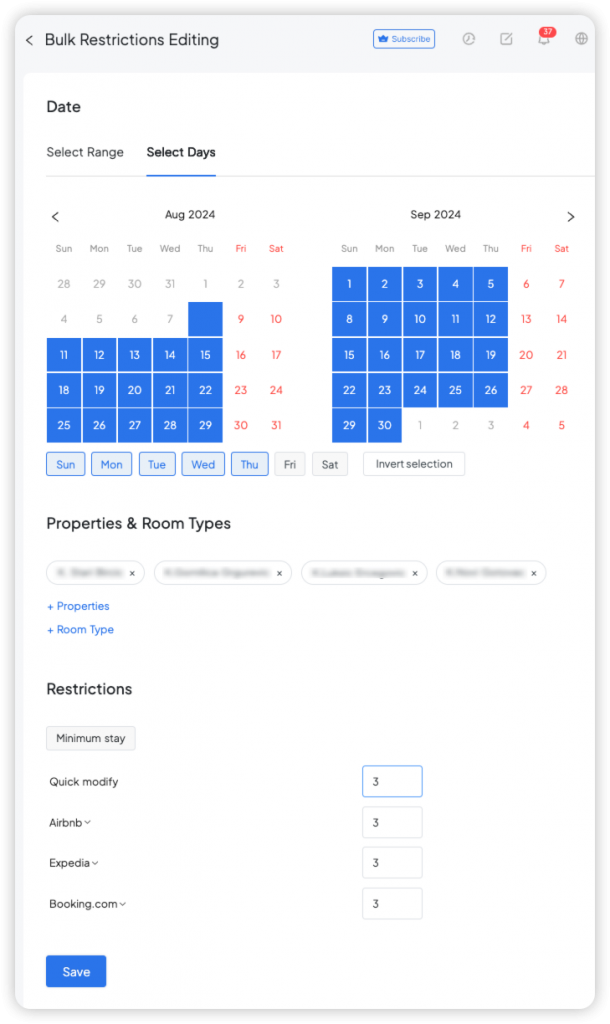
You can now easily manage booking restrictions for all your properties in a single operation, regardless of how many properties you have. This feature streamlines the process, saving you time and effort.
How to Use Bulk Booking Restrictions Editing?
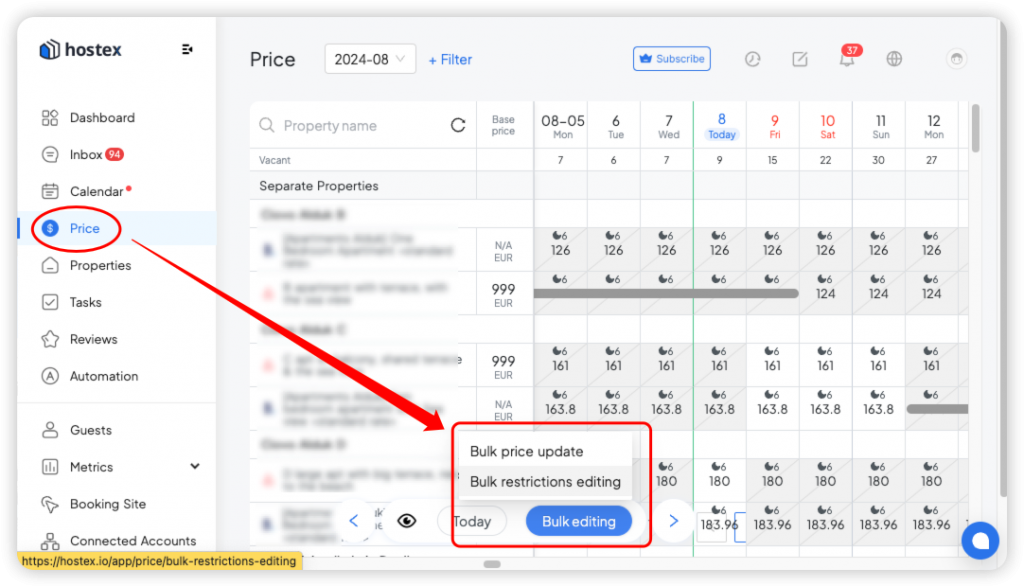
- Navigate to the Price section in your Hostex.
- Select "Bulk Restrictions Editing" from the Bulk editing options.
- Select the date range and the properties you want to modify.
- Choose the specific items you wish to change.
- Update the corresponding values as needed.