Availability window(Max advance reservation)Setting Guide for Listings
Due to the functional permission restrictions of different booking platforms, the setting paths for Availability window (Max advance reservation) vary by channel. This article provides detailed standard setting instructions by channel for your reference.
1. Setting Method for Airbnb & Vrbo Listings
Applicable to officially connected Airbnb and Vrbo listings
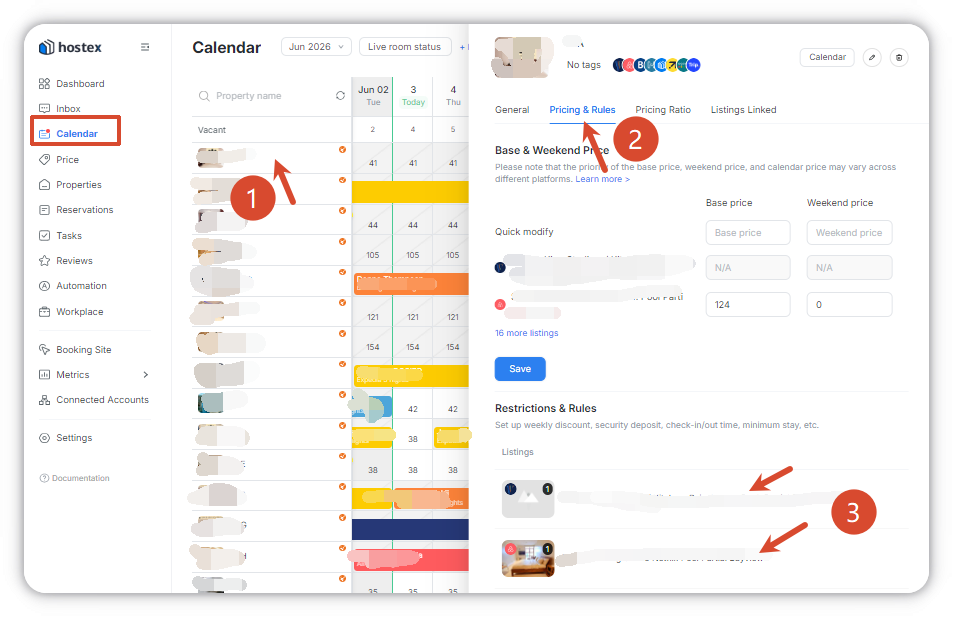
- Go to the Calendar page and select the target property or room type;
- Click Pricing & Rules in the right sidebar;
- Select and enter the configuration page for Airbnb or Vrbo;
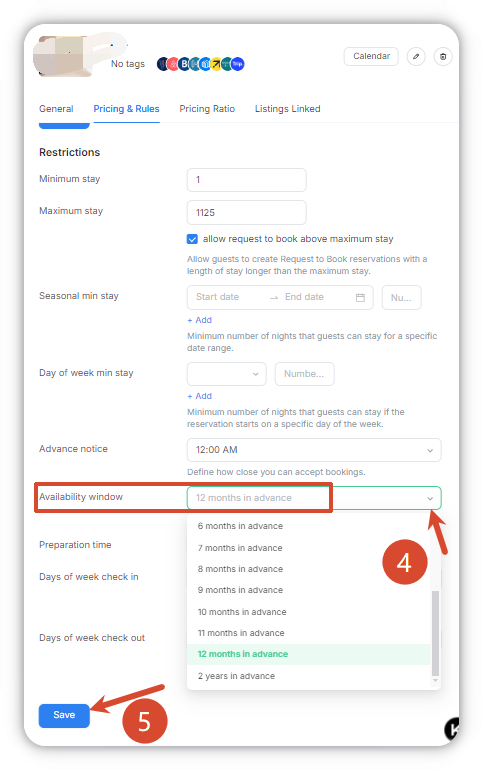
- Locate Availability window and complete the parameter settings according to your operational needs;
- Save the settings to take effect immediately.
2. Setting Method for Booking.com & Trip Listings
Applicable to officially connected Booking.com and Trip listings
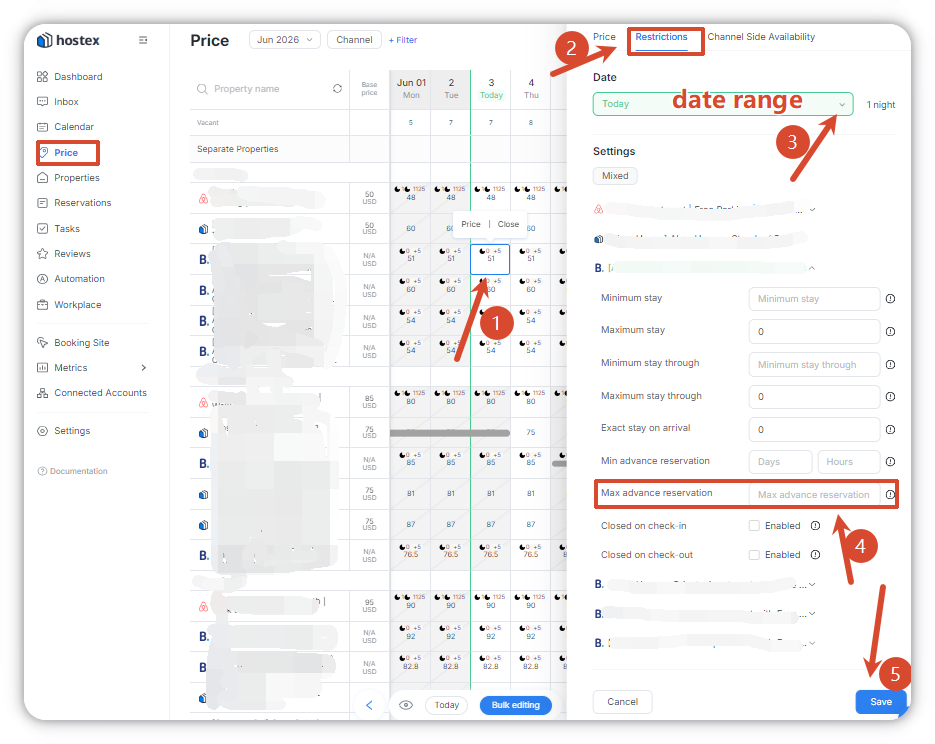
- Go to the Price page and select the target listing;
- Click Restrictions in the right sidebar;
- Select the date range to be configured in the date module;
- Locate Max advance reservation and complete the parameter settings;
- Save the settings to take effect immediately.
3. Setting Method for Booking site Listings
Applicable to self-built listings on Booking.site
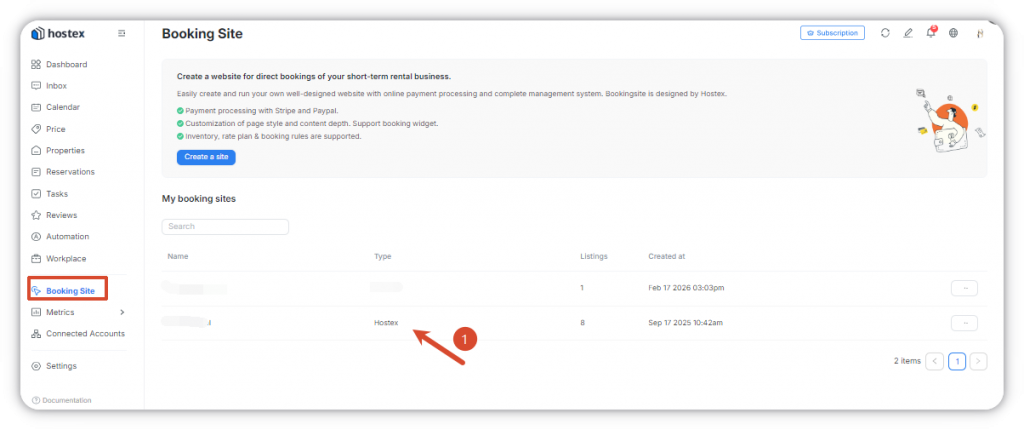
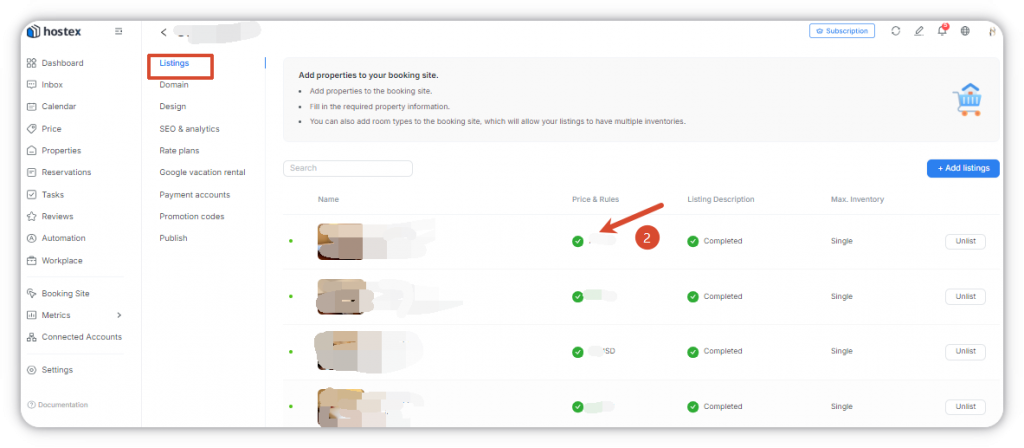
- Log in to the Booking site backend and select the corresponding website;
- Go to the Listings section and select the target listing;
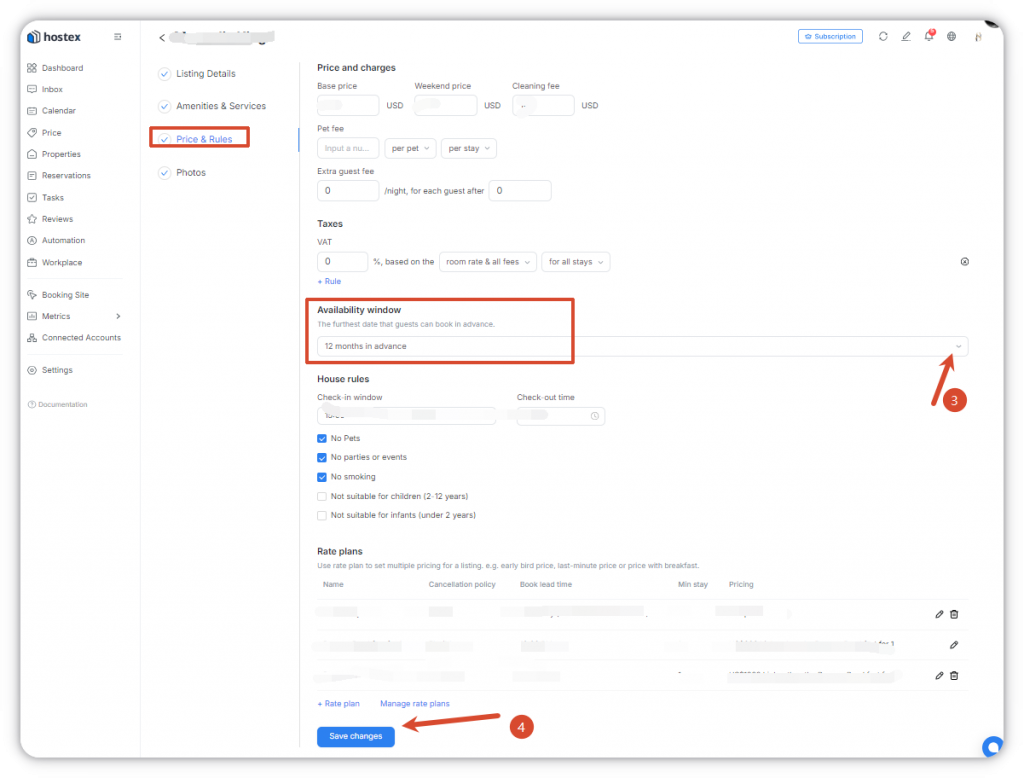
- Locate Availability window under the Price & Rules section and complete the settings;
- Save the settings to take effect immediately.
Note:
Expedia, Houfy and Agoda do not support Availability window (Max advance reservation) setup within Hostex.
Tujia does not support reservation restriction settings.
If you need to configure Availability window (Max advance reservation), please complete settings directly on the corresponding OTA backend; contact the platform’s customer service for detailed configuration guidance.
 English
  Chinese