How to Connect Operto to Hostex?

Operto is a complete post booking automation platform designed to enhance the guest journey and streamline property operations. It delights guests with beautiful digital guidebooks and secure, automated smart lock access, while powerful tools for housekeeping and maintenance keep teams efficient and properties running smoothly.

This guide will walk you through the process of connecting your Operto account to Hostex, enabling seamless automation of your property operations.

Step-by-Step Connection Guide

Before connecting, please ensure that you have created and configured the necessary Regions​ within your Operto account.

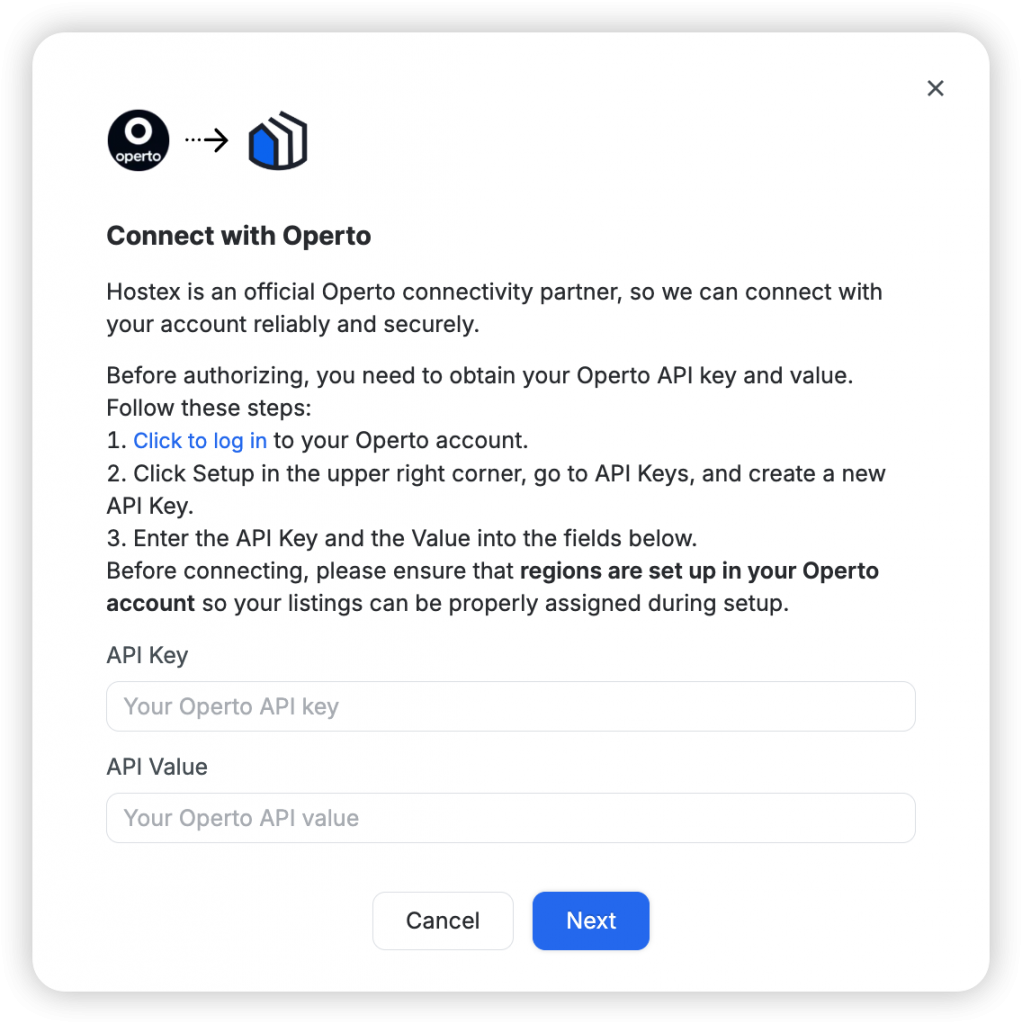
1. Get Your Operto API Key

  • 登录您的 Operto account.
  • 点击 Setup​ in the upper right corner, then go to the API 密钥​ page.
  • 点击 Create a New API Key​ to generate a new key. Securely save the generated API Key​ and Value, as you will need to enter them in the next step.

2. Add Operto in Hostex

  • Log in to Hostex and go to 工作场所.
  • 点击 Add Operto.
  • In the pop-up window, paste the API Key​ and Value​ obtained in the previous step.

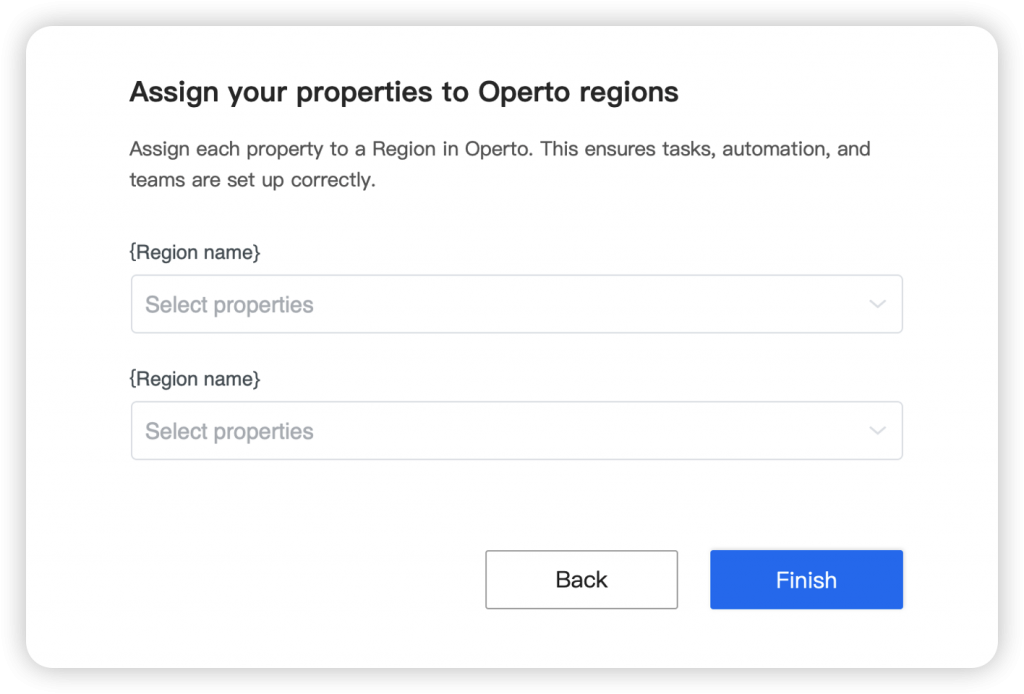
3. Assign Your Properties to Operto Regions

  • After API authentication, the system will display all the Regions​ you have set up in Operto.
  • Assign each of your Hostex properties to the corresponding Operto Region.

    If you add new properties or Regions, you need to return to the WorkPlace​ in Hostex, find the Operto card, click the Sync Regions​ button, and then re-assign your properties to the corresponding regions.

    zh_CNChinese