
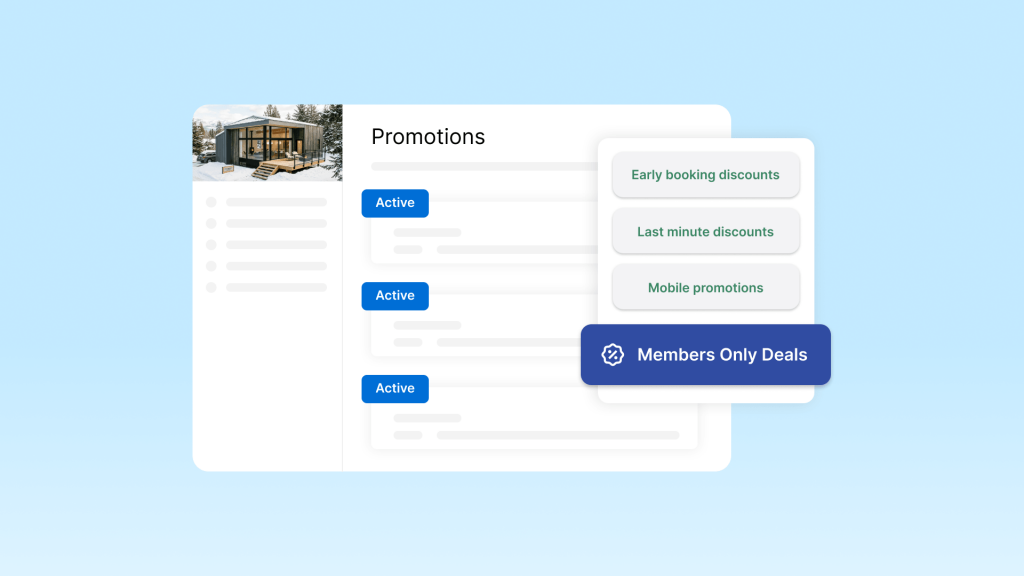
Vrbo Members Only Deals are now live for eligible listings that remained enrolled after the September 10, 2026 opt-out deadline. The host-funded promotion gives eligible One Key members a discount, with reported rates of 12% for Blue, 15% for Silver, and 20% for Gold and Platinum members.
For hosts, the key issue is not just the headline discount. You also need to understand how the promotion interacts with weekly or monthly discounts, how it affects your net revenue, and how to manage your pricing after enrollment.
요약
- Vrbo Members Only Deals offer discounts to signed-in One Key members, and the host funds the discount.
- Reported member rates are 12% for Blue, 15% for Silver, and 20% for Gold and Platinum members.
- Only one promotion applies to a booking at a time, but a promotion can stack with weekly or monthly discounts.
- Vrbo applies the promotion to the already-discounted base rate, so stacked discounts multiply rather than add.
- The September 10, 2026 opt-out deadline has passed, but hosts can still pause, edit, or remove promotions from the Vrbo dashboard.
- A 20% discount requires a 25% rate increase to restore the original gross rental amount. With a 10% weekly discount, the effective discount is 28%, requiring a 38.89% increase.
What Are Vrbo Members Only Deals?
Vrbo Members Only Deals are a promotion type that gives eligible One Key members a special discount on qualifying stays. The member-only discount is shown to eligible members rather than becoming a general discount for all travelers.
The promotion is host-funded. The discount reduces the rental amount collected from the booking, so hosts should account for it when setting their base rates and evaluating net revenue.
One Key and the Four Member Tiers
One Key is Expedia Group’s loyalty program across Vrbo, Expedia, and Hotels.com. It has four membership tiers: Blue, Silver, Gold, and Platinum.
Vrbo describes member-only deals as a way to offer special discounts to One Key members. Current Vrbo help pages confirm the four membership tiers, but they do not list the specific discount percentages for each tier.
Industry reporting and September 2026 enrollment communications reported the following rates:
| One Key tier | Reported member discount |
|---|---|
| Blue | 12% |
| Silver | 15% |
| Gold | 20% |
| Platinum | 20% |
These figures should be treated as reported rates rather than a current rate table published on Vrbo’s public help center. Hosts should check the promotion shown in their own dashboard for the rate that applies to their listing.
What Changed in September 2026?
During the summer of 2026, Expedia Group notified eligible hosts about the Members Only Deals program and gave them an opportunity to opt out.
The reported timeline was:
- September 10, 2026: opt-out deadline
- September 18, 2026: member discounts went live
Rental Scale-Up reported these dates after reviewing Expedia Group’s opt-out materials. The original opt-out form is now closed.
The important distinction is that the opt-out deadline has passed, but promotion management has not. Vrbo’s enrollment materials state that hosts can edit or remove the promotion from the Vrbo dashboard after it goes live.
How Vrbo Members Only Deals Work
The most important pricing rule is how the member discount interacts with other discounts.
Vrbo distinguishes between promotions 그리고 weekly or monthly discounts. Only one promotion applies to a booking at a time. However, a weekly or monthly discount can stack with that promotion.
When they stack, Vrbo applies the promotion to the already-discounted base rate.
Member Deals and Weekly Discounts Multiply
Consider a $100 nightly rate with:
- 10% weekly discount
- 20% member-only promotion
The weekly discount reduces the rate from $100 to $90.
The 20% member discount then applies to $90:
$90 × 80% = $72
The guest therefore pays $72 rather than $70.
The combined discount is:
1 – (0.90 × 0.80) = 28%
So a 10% weekly discount and a 20% member promotion produce a 28% effective discount, not 30%.
Vrbo’s help center explains that the promotion is applied to the discounted base rate rather than the original base rate.
Only One Promotion Applies at a Time
You can create multiple promotions, but Vrbo applies only one promotion to a booking at a time, using the promotion that provides the deepest discount.
This rule is separate from length-of-stay discounts. A weekly or monthly discount can still stack with the applicable promotion.
That distinction matters when calculating the actual price a guest pays.
Member Discounts Apply to Every Night
Vrbo states that member-only and mobile offers apply to every night of the booking.
For example, if a member discount applies to a three-night stay, the discount is not limited to one night. It affects the eligible nightly rate throughout the stay.
This makes the impact larger on longer bookings, especially when the property also uses weekly or monthly discounts.
How Much Does a Vrbo Member Discount Reduce Your Revenue?
The headline discount percentage is not the same as the rate increase needed to recover the original rental amount.
A 20% discount leaves you with 80% of the original rate. To get back to the original amount, you need to divide by 0.80 rather than simply adding 20%.
Rate Increase Formula
Use this formula:
Required rate increase = 1 ÷ (1 – effective discount) – 1
For a 20% discount:
1 ÷ 0.80 – 1 = 25%
So a $100 rate needs to become $125 to produce the same $100 gross rental amount after a 20% discount.
Here are the calculations for the reported member rates:
| Member discount | Guest pays | Rate increase needed to restore original gross rate |
|---|---|---|
| 12% | 88% | 13.64% |
| 15% | 85% | 17.65% |
| 20% | 80% | 25% |
| 20% + 10% weekly discount | 72% | 38.89% |
The last row uses a combined effective discount of 28%. To recover the original $100:
$100 ÷ 0.72 = $138.89
That means the base rate would need to increase by 38.89%.
These calculations describe the gross rental amount before considering other pricing factors, fees, taxes, occupancy changes, or changes in booking volume.
How to Check and Manage Your Member-Only Deal
The opt-out deadline has passed, but Vrbo allows hosts to manage active promotions from the dashboard.
Check Whether Your Listing Is Enrolled
The current Vrbo promotion workflow is:
- Sign in to your Vrbo Owner Dashboard.
- Select the property you want to manage.
- 이동하다 Calendar → Settings → Pricing → Promotions.
- 선택하다 See all promotions.
- Find the member-only deal in your promotion list.
The exact interface can vary as Vrbo updates its dashboard, so use the promotion settings shown for your account if the menu labels differ.
Pause or Remove the Promotion
Vrbo’s promotion management guidance allows hosts to create, edit, pause, reactivate, or remove promotions.
To manage an active promotion:
- Open the property’s promotion settings.
- Find the member-only deal.
- 선택하다 Pause if you may want to use the promotion again later.
- 선택하다 Delete if you want to remove it.
Pausing is useful when you want to test different pricing or demand conditions without rebuilding the promotion later.
Should You Keep the Member-Only Deal?
There is no single pricing decision that works for every Vrbo property. Evaluate the promotion using your own booking and revenue data.
Compare Net Revenue, Occupancy, and ADR
Look at performance before and after the member discount became active.
Useful metrics include:
- 평균 일일 요금(ADR)
- Occupancy
- Gross booking revenue
- Net revenue after discounts and applicable fees
- Booking volume
- Average length of stay
- 취소율
A lower nightly rate can make sense if it produces enough additional bookings to improve overall revenue. On the other hand, a high-demand property with limited availability may have less reason to accept a large discount.
The right comparison is therefore not simply the discount percentage. Compare the revenue you actually keep with the bookings the promotion generates.
Evaluate Each Property Separately
Demand varies by property, market, season, and booking window.
A property with strong demand may have different pricing economics from one that relies heavily on last-minute or midweek bookings. Instead of applying the same decision across a portfolio, evaluate the promotion at the property level.
Consider the Promotional Badge
Vrbo says that a member-only deal of 10% or more can unlock a promotional badge on the traveler site. Vrbo also positions promotions as a way to increase visibility.
However, Vrbo has not published a specific search-ranking penalty for removing a member-only deal. Losing the promotion may mean losing its associated badge or additional exposure, but that should not be treated as a guaranteed ranking change.
How to Reprice Around a Vrbo Member Discount
If you decide to keep the promotion, adjust your base rate based on the effective discount rather than simply adding the same percentage back.
Step 1: Set Your Target Revenue
Start with the amount you want to collect from a typical night before the member discount.
예를 들어:
Target gross rental amount: $100
Step 2: Calculate the Effective Discount
If the listing has only a 20% member promotion:
Effective discount = 20%
If it also has a 10% weekly discount:
Effective discount = 1 – (0.90 × 0.80) = 28%
Step 3: Calculate the Required Base Rate
For a 20% effective discount:
$100 ÷ 0.80 = $125
For a 28% effective discount:
$100 ÷ 0.72 = $138.89
Step 4: Apply the Pricing Strategy to Your Calendar
If you use fixed rates, you can adjust the relevant nightly prices directly.
If you use dynamic pricing, incorporate the required margin into your pricing rules instead of applying one rate across the entire calendar. This lets you account for seasonality, weekends, events, and changes in demand.
Keep Vrbo Pricing in Step With Your Other Channels
Changing your Vrbo price does not necessarily mean you want to raise your Airbnb or Booking.com rates by the same amount.
If your listing is distributed across multiple channels, channel-level pricing can help you account for differences between platforms.
Hostex connects with Vrbo and other major booking channels. Its price calendar supports channel-specific pricing adjustments, allowing hosts to apply a different pricing margin to Vrbo without changing the base rate used for other channels.
This can be useful when you need to offset a Vrbo-specific promotion while keeping your broader pricing strategy unchanged.
Common Mistakes to Avoid
Treating the member rate as the total discount
A 20% member promotion combined with a 10% weekly discount produces a 28% effective discount, not 30%.
Adding the discount percentage back to your rate
A 20% discount requires a 25% rate increase to restore the original gross rental amount.
Assuming the opt-out deadline is the end of your options
The September 10 deadline closed the original opt-out process. It did not remove the ability to manage the active promotion. Hosts can still pause, edit, or remove promotions through the dashboard.
Ignoring longer stays
Because member-only deals apply to every night of the booking, the total revenue impact increases with the number of discounted nights.
Changing Vrbo prices without checking connected systems
If a channel manager or another pricing tool controls your Vrbo rates, confirm which system is the source of truth before changing prices manually. Otherwise, a later synchronization may overwrite your adjustment.
Assuming removal automatically lowers search ranking
Vrbo associates promotions with additional visibility and promotional badges, but it has not published a specific ranking penalty for removing a member-only deal. Treat visibility and ranking as separate questions.
자주 묻는 질문
What are Vrbo Members Only Deals?
Vrbo Members Only Deals are host-funded promotions that give eligible One Key members a special discount on qualifying stays. The discount applies to every night of the booking.
Can I still opt out of Vrbo Members Only Deals?
The original opt-out deadline was September 10, 2026. That window is now closed. However, hosts can still manage active promotions from the Vrbo dashboard, including pausing or removing them.
How much is the Vrbo member discount?
September 2026 enrollment communications and industry reports cited 12% for Blue members, 15% for Silver, and 20% for Gold and Platinum. Vrbo’s current public help pages do not list these tier-specific percentages, so check your own dashboard for the rate assigned to your listing.
Do Vrbo Members Only Deals stack with weekly or monthly discounts?
Yes. Only one promotion applies at a time, but a weekly or monthly discount can stack with that promotion. Vrbo applies the promotion to the already-discounted base rate.
Does removing a member-only deal affect visibility?
A 10% or higher member-only deal can unlock a promotional badge, and Vrbo says promotions can increase visibility. However, Vrbo has not published a specific search-ranking penalty for removing the promotion.
How can I protect my revenue if I keep the promotion?
Calculate the effective discount first, then divide your target gross rental amount by the remaining percentage.
For example, a 20% discount leaves 80% of the original rate, so you need a 25% rate increase to restore the original amount. A 20% member discount combined with a 10% weekly discount creates a 28% effective discount, requiring a 38.89% increase to fully offset it.


 Korean
  English
  Japanese
  Spanish
  Arabic
  French
  Russian
  German
  Portuguese
  Italian
  Thai
Thai