How to Send an Airbnb Special Offer to Your Guests
Once a guest sends you an inquiry, you can respond with a tailored special offer to meet their needs. This feature allows you to adjust your pricing or suggest alternate dates or properties, giving you flexibility in securing bookings.
Steps to send a special offer:
- Go to your Hostex Inbox and open the relevant conversation.
- Click on Send a Special Offer on the right side of the page.
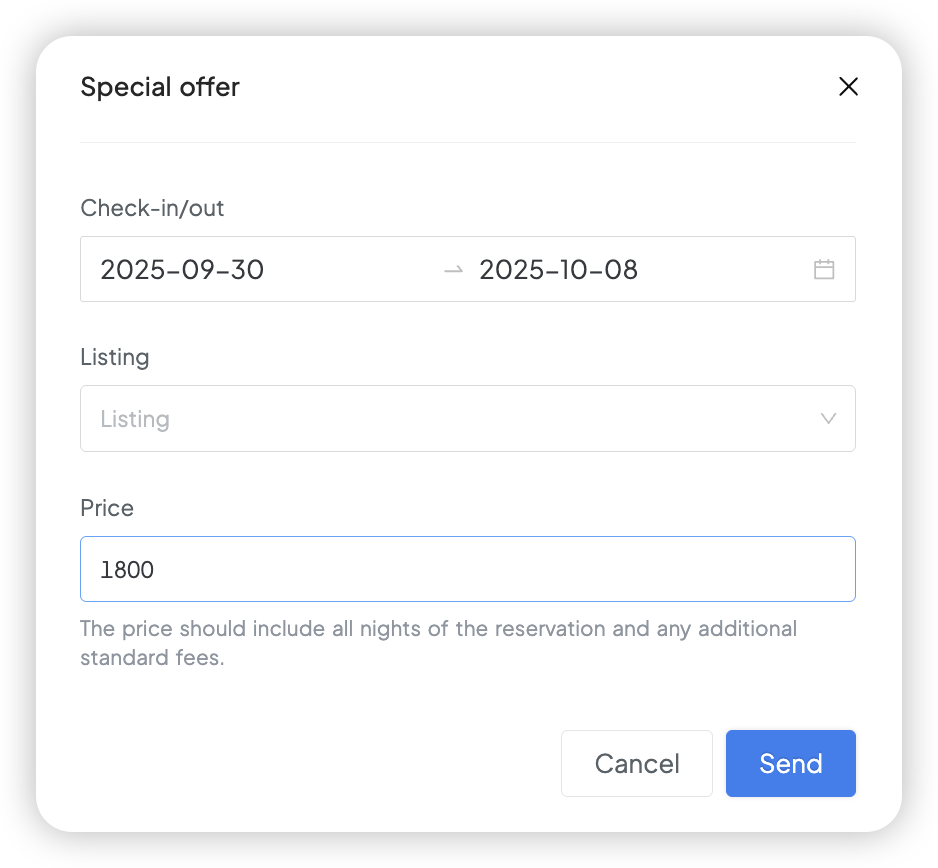
- Choose the property and specify the check-in and check-out dates.
- Enter the custom price you’d like to offer (including all fees).
- Click Send to send the special offer to the guest.
How to modify or withdraw an offer
Currently, Airbnb does not allow you to directly modify a special offer once it has been sent. If you need to make changes, you will have to withdraw the existing offer and send a new one. Here’s how:
- Open the relevant conversation in your Hostex Inbox.
- Click on the Withdraw option next to the special offer you sent.
- After withdrawing the previous offer, follow the same steps above to send a new special offer with your updated terms.
 English
  Chinese