How can I set up the booking rules and settings for an Airbnb listing?
Hostex offers seamless connections to your Airbnb accounts. You can easily manage and work directly with your Airbnb listings’ settings on Hostex.
1. Booking restrictions/rules for listings
- Go to the Properties feature.
- Click on the room linked with the Airbnb listing(s).
- On the right-hand side, you will find all the listings in this room.
- Click on the listing you want to edit.
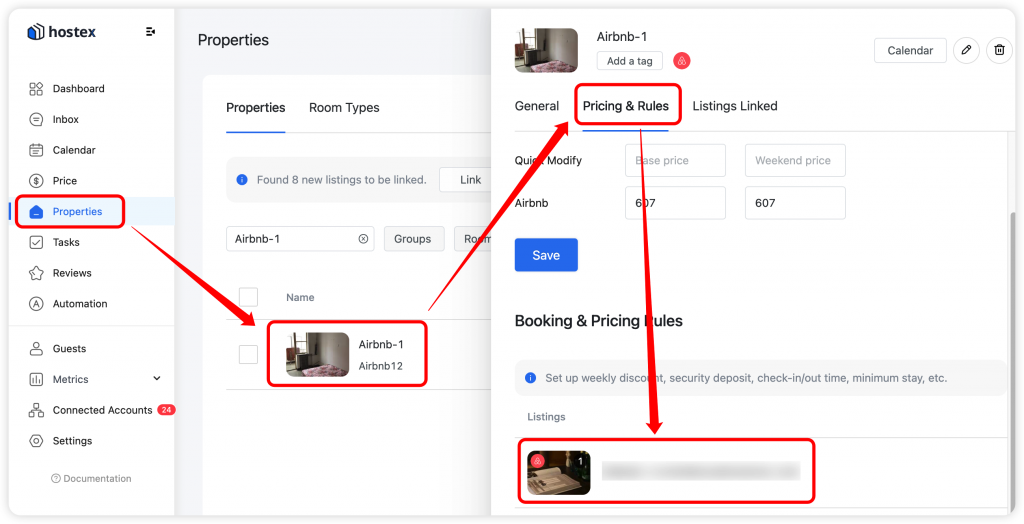
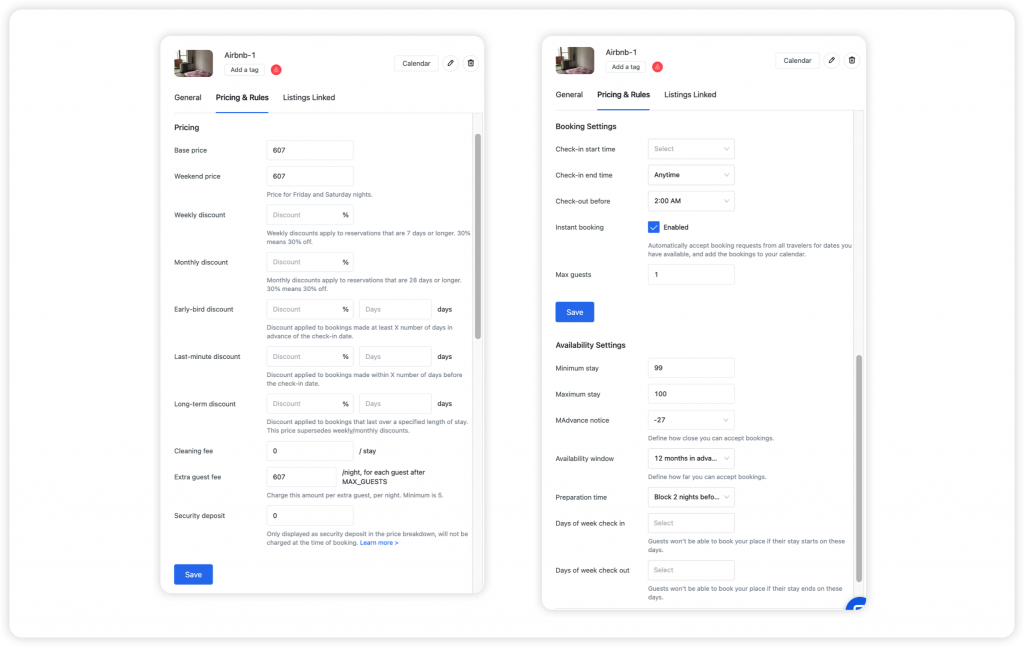
Then you can set up the following settings or rules:
Pricing, which includes:
- Currency
- Base price
- Weekend price
- New listing promotion
- Top-rated guest discount
- Mobile-only discount
- Long stay discount
- Early-bird discount
- Last-minute discount
- Cleaning fee
- Extra guest fee
- Pet fee
- Non-refundable discount
Booking settings, which include:
- Cancellation policy
- Long-term cancellation policies
- Check-in start time
- Check-in end time
- Check-out before
- Instant booking
- Non-Refundable Discount
- Security Deposit
Availability settings, which include:
- Minimum stay
- Maximum stay
- Seasonal min stay
- Day of week min stay
- Advance notice
- Availability window
- Preparation time
- Days of week check in
- Days of week check out
2. Booking restrictions/rules for dates
- Go to the Price feature.
- Select the dates of an Airbnb listing you want to edit.
- On the right-hand side, you will find the rules of this listing.
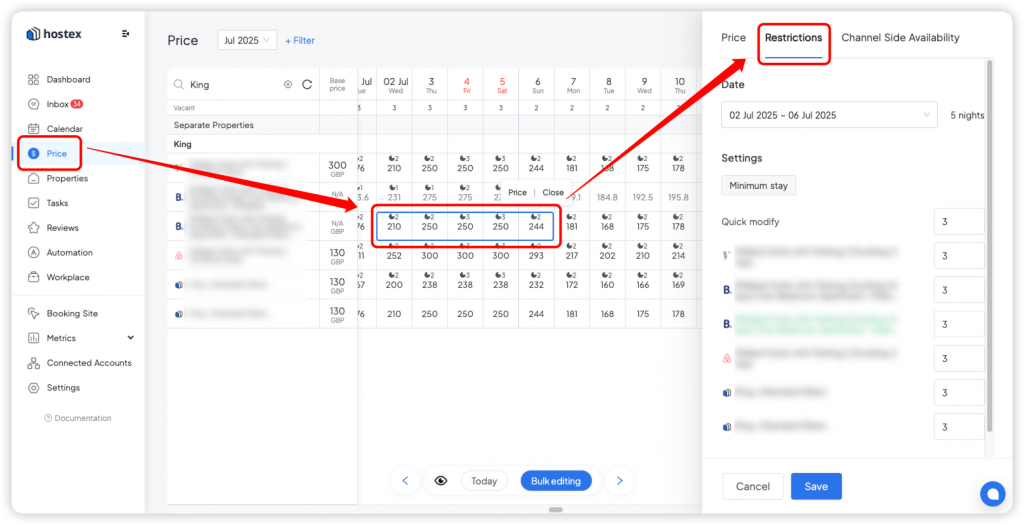
And then you can set up the following settings or rules for these dates, which include:
- Min/Max stay through – The Minimum or Maximum number of days a guest may book the specified room, for the specified rate, if the stay includes the specified date.
- Closed on arrival – Reservations for the check-in date on this date are not allowed.
- Closed on departure – Reservations for the check-out date on this date are not allowed.
 English
  Chinese