
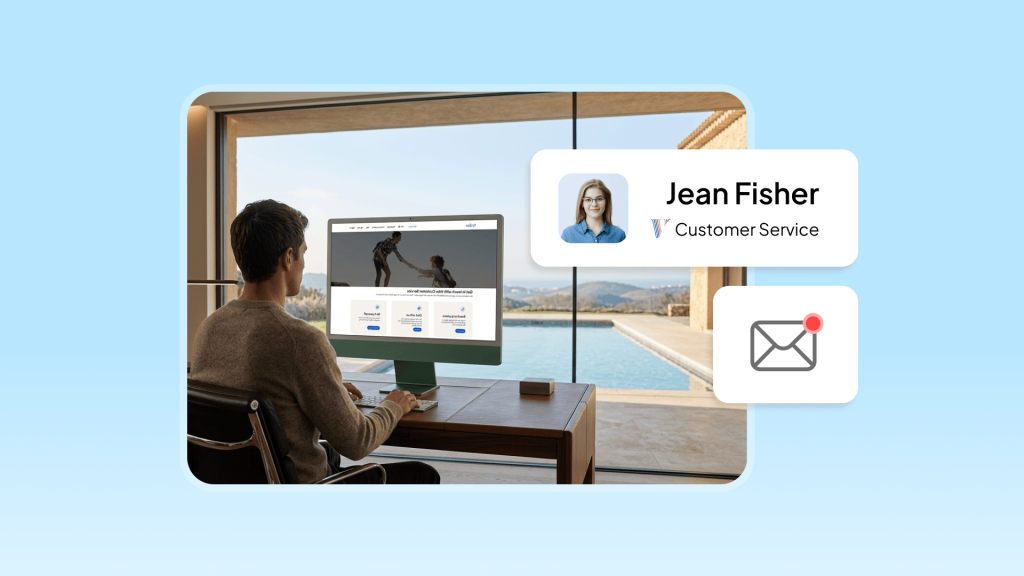
TL;DR: To quickly resolve your questions, technical issues, or bugs, you can connect with Vrbo customer service through the following optimized channels:
- The Help Center: This is your go-to resource for operational guides and documentation. It offers the fastest solutions for the most common procedural questions.
- Online Support: Utilizing Live Chat allows for real-time communication with both AI assistants and human agents. It is particularly effective for uploading evidence related to technical glitches or guest disputes.
- Phone Support: Use dedicated global hotlines for urgent, high-stakes crises that require immediate human intervention. Note that contact numbers vary by region to ensure localized host support.
- Contact Forms: This is the primary gateway for submitting non-urgent technical bugs, tax documentation, or account verification files.
- Social Media & Communities: You can reach Vrbo via official social channels or tap into professional host communities for peer-to-peer advice and practical workarounds.
When reporting an issue, always use precise descriptions and include all relevant key information. This ensures the support team can clearly understand your problem and act on your request without unnecessary delays.
Professional vacation rental management software like Hostex ensures real-time synchronization between Vrbo, Airbnb, and Booking.com. By automating 70% of your daily tasks, you can minimize human error and save significant time for what truly matters. Plans start from just $4.90 per month.
Vrbo Customer Service Options
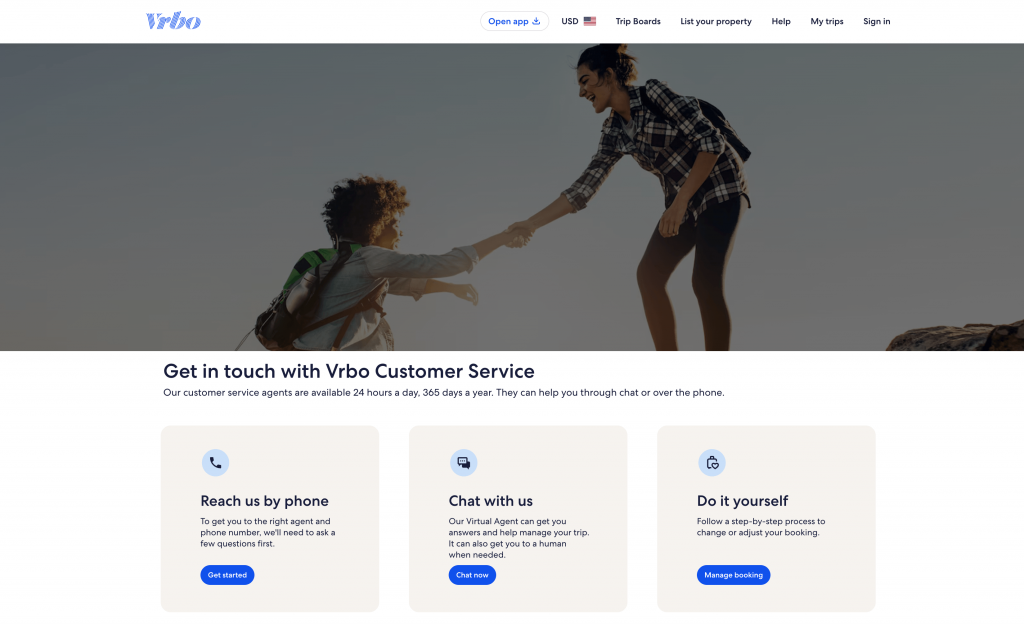
Like most major platforms, Vrbo’s official support system follows a logical progression from “low-cost self-service” to “high-touch human assistance.” This tiered architecture is designed to balance the massive volume of inquiries from millions of global hosts with the efficient allocation of platform resources.
1. Vrbo Help Center
The Vrbo Help Center is essentially a structured and dynamically updated professional knowledge base. For most procedural questions—such as listing steps or standard refund policies—the Help Center offers the fastest path to a solution.
Vrbo strategically divides its help portal into “Owner Help” and “Property Manager Help.” This isn’t just about labels; it reflects the distinct business logic of each group. For instance, the Property Manager section focuses heavily on software integration (API), tax compliance, and multi-unit management tools. Meanwhile, the Owner section prioritizes individual listing optimization, review management, and host incentive programs.
The documentation library is exhaustive. It covers everything from basic settings, like adjusting your minimum stay requirements, to advanced security protocols such as defending against phishing, SMS scams, and phone fraud. Furthermore, during peak travel seasons or major policy shifts—like the rollout of the One Key rewards program—the Help Center typically publishes timely alerts and guidance.
Tip: Keyword precision is vital. The way you frame your query determines the accuracy of your answer. For example, searching for “change minimum stay” will lead you directly to an operational guide, whereas a vague term like “booking rules” may provide less relevant results.
2. Online Support Systems
When documentation isn’t enough, the Live Chat system provides a more interactive layer of Vrbo customer service.
Currently, this system relies primarily on an automated assistant powered by Natural Language Processing (NLP). This AI helper can quickly handle standard requests, such as checking payment status, retrieving invoices, or explaining cancellation policies. However, when an issue requires human judgment or policy discretion—such as reviewing evidence for a guest complaint, handling complex refund disputes, or account security lockouts—the virtual agent primarily collects initial information and routes the case.
Of course, you can bypass the bot by using specific prompts like typing “Human” or “Agent” to force a transfer to a live representative. The primary advantage of this channel is its asynchronous nature. It allows hosts to upload real-time evidence, such as error screenshots, repair invoices, and damage photos, which is essential for resolving mid-priority vacation rental management issues.
3. Phone Support
While digital support is the modern standard, many hosts still prefer phone communication, believing it’s the most effective way to explain complex situations clearly. Vrbo accommodates this by maintaining dedicated global hotlines, ensuring that hosts can access real-time intervention regardless of their time zone.
The table below outlines the contact numbers and service hours for major global regions, illustrating how Vrbo customer service covers its international network through localized support:
| Region / Site Language | Language | Contact Number | Service Hours (Local Time) |
| United States (Vrbo US) | English / Spanish | 1-877-202-4291 (Intl: 1-512-782-0805) | 24/7 |
| United States (Vrbo US) | French | 1-503-821-4261 | 24/7 |
| United Kingdom (Vrbo UK) | English | +44 800 032 5622 | 24/7 |
| Sweden (Vrbo Sweden) | English | +46 (0) 201 604 695 | 24/7 |
| Spain (Vrbo Spain) | Spanish | 900 031 108 (Intl: +34 911 238 309) | 24/7 |
| Italy (Vrbo Italy) | Italian | 800 793 675 (Intl: +39 06 80 33 52 07) | 24/7 |
| Brazil (Vrbo Brazil) | Portuguese | 0800 030 0331 (Intl: +55 11 4700 2359) | 24/7 (English only 0:00-10:00 CET) |
| Singapore / Asia | English | +65 66227363 | 24/7 |
| Japan (Vrbo Japan) | Japanese | +81 345789669 | Mon-Fri, 9 am-6 pm JST |
| Australia (Vrbo Australia) | English | 1800 662 594 (Intl: +61 291 654 531) | 24/7 |
Note: In certain regions such as the Netherlands, Greece, or Japan, it is recommended to call the UK hotline for English-speaking host support outside of local business hours.
4. Online Contact Forms
The online contact form within the Host Dashboard serves as the primary gateway for submitting non-urgent technical bugs, tax forms (such as the W-9), or account verification documents.
Typically, these requests are processed within 24 to 72 hours. The main advantage of using this method is that it ensures all communications are archived within Vrbo’s internal messaging system. This creates a reliable audit trail, which can be invaluable for vacation rental management and resolving future disputes.
5. Social Media Channels
As an alternative route, Vrbo maintains an active presence on X (formerly Twitter) via the @vrbo handle and offers support through Facebook Messenger.
While these platforms are not designed to handle sensitive booking details or private data, they are often used as an effective “escalation mechanism.” If a traditional support ticket becomes stalled, a host can mention the official account on a public platform while providing a Case ID. This often triggers the attention of the platform’s social listening team, which can consequently accelerate the resolution of your Vrbo customer service inquiry.
Choosing the Best Support Channel for Different Issues
Selecting the right channel based on the complexity and urgency of your problem is the golden rule for efficiency. Making the wrong choice not only delays a resolution but can also lead to frustration through repeated, ineffective communication.
Operational Issues
- Double Bookings and Calendar Conflicts: These are high-stakes situations that could result in a guest arriving with no place to stay. Phone support is the best route here. You need to trigger the platform’s mediation mechanism immediately to request help with guest relocation or to apply for a waiver on cancellation penalties.
- Payment and Payout Disputes: If you encounter missing payments or settlement delays, first check your “Transaction History” in the dashboard. If the issue persists, Live Chat is your best bet. You can upload bank statements or reconciliation reports from your third-party PMS and get real-time insights from a specialist regarding the status of that specific transaction.
Policy and Compliance
- Tax Filing and Invoices: Since these involve legal compliance, hosts should first consult the Help Center for the latest tax collection and remittance guidelines. If you need to submit specific certification documents, use the contact form in your dashboard for an asynchronous submission. This ensures your files are correctly archived by the relevant department.
- Listing Ranking and Search Visibility: These inquiries are often subjective and non-urgent. Hosts should review their “Performance Metrics” and compare them against their “Comp Set” (competitive set) data. If questions remain, use Live Chat to ask a specialist for advice on listing optimization, such as improving amenity tags or photo quality scores.
Trust & Safety Issues
- Account Lockouts or Suspected Hacking: If you notice suspicious login activity, you must call the 24/7 emergency hotline immediately. The Vrbo customer service center has a dedicated “Trust & Safety” team capable of rapid interventions, including suspending listings and resetting credentials.
- Major Guest Violations or Party Reports: For active noise complaints or unauthorized parties, you should contact local authorities first, then immediately call Vrbo phone support. Explicitly mention the “Stay Neighborly” program. This helps the platform take appropriate action, such as banning or fining the violating guests during the follow-up process.
| Issue Category | Typical Scenario | Recommended Channel | Advantage |
| Urgent Operations | Double bookings, lockout, safety incidents | 24/7 Phone | Immediate intervention; can coordinate third-party resources. |
| Financial Management | Payout delays, rate errors, tax refunds | Live Chat | Supports document uploads; provides a clear record for auditing. |
| Technical Support | System bugs, listing not showing, sync failures | Contact Form / Chat | Allows the technical department to perform back-end debugging. |
| Content Optimization | Review disputes, description edits, and ranking help | Help Center / AI Bot | Automated tools quickly guide you to the relevant policy pages. |
| Community Conflict | Neighbor noise complaints, local regulation issues | Stay Neighborly Form | Handled by a specialized compliance team to protect community ties. |
How to Expedite Vrbo Customer Service Requests
Many hosts report frustration with scripted responses and long wait times when dealing with large-scale platforms. While these are common industry hurdles, you can significantly speed up the process by using a few strategic tactics.
1. Prepare Essential Information in Advance
To minimize the time spent on basic troubleshooting, have a detailed “case file” ready before contacting any Vrbo customer service representative. This prevents the agent from having to ask repetitive diagnostic questions.
- Unique Identifiers: Have your Reservation ID, Advertiser ID (Host ID), and specific Listing ID at your fingertips.
- A Detailed Timeline: Document the exact time of the incident, key screenshots of guest communication, and the specific error codes or messages displayed by the system.
- Technical Environment: If reporting a bug, confirm your operating system, browser version, and whether the issue persists on the mobile app.
2. Avoid Peak Support Windows
Vrbo’s support centers experience predictable fluctuations in volume across different time zones. Mondays are typically the busiest days, as disputes and refund requests from weekend stays tend to flood the system at the start of the work week.
Consequently, reaching out between Tuesday and Thursday—specifically before 9:00 AM or after 9:00 PM local time—usually results in much shorter queue times and faster access to host support.
3. Use Precise Terminology
When interacting with the AI bot, repeatedly typing “Agent” or “Escalate to human” is a standard way to bypass automated loops.
However, once you reach a person, your choice of words matters. If a front-line agent provides a scripted answer that doesn’t solve the problem, explicitly request an escalation. Using professional terms like “Calendar Sync Issue” or “API Mapping Error” signals your technical proficiency. This makes it more likely that the agent will transfer your case to a higher-level specialist who handles vacation rental management complexities.
4. Leverage Premier Host Priority Status
The most effective official way to cut the line is by maintaining Premier Host status. This isn’t just a badge; it grants you Priority Support, a core benefit where the system automatically recognizes your ID and places you at the front of the queue.
To keep this advantage, regularly monitor your “Premier Host Scorecard” in the dashboard. You must consistently hit key performance targets:
- Booking Acceptance Rate: 90% or higher.
- Host-Initiated Cancellation Rate: 1% or lower (ideally 0%).
- Average Rating: 4.3 or higher (though 4.6+ is the gold standard for staying competitive).
By staying on top of these metrics, you ensure that whenever a crisis hits, you have the “fast track” to a resolution, keeping your guest experience seamless and your business running smoothly.
Final Thoughts: Beyond Official Vrbo Customer Service
There is a distinct possibility that the challenges you encounter may not be fully resolved through official channels. In these instances, experienced hosts can often provide “patch” solutions and practical advice that surpass standard scripted responses.
You can find these veteran perspectives across several key platforms:
- Facebook Groups: By searching for “Vrbo hosts,” you will find numerous professional communities. These groups are hubs for discussing the topics that matter most to owners—such as tips for optimizing listing algorithms, strategies for handling difficult guests, and creative workarounds for platform glitches.
- Reddit Sub-Communities: Subreddits dedicated to vacation rentals are incredibly active and provide real-time crowdsourced information. For example, if multiple hosts are simultaneously reporting that their calendars won’t sync, you can confirm it is a platform-wide bug rather than an individual error. This knowledge gives you significant leverage when communicating with host support.
- The VRMB Community: Widely recognized as one of the most forward-thinking and professional elite networks in the short-term rental industry, VRMB functions less like a social media group and more like a business school. Their focus lies in the core logic of brand marketing, technology integration, risk management, and elevating the guest experience.
By combining official Vrbo customer service with these external expert resources, you can build a robust support system for your rental business. Whether you are troubleshooting a technical error or refining your long-term management strategy, staying connected to both the platform and the professional community is the most effective way to ensure your success.

 English
  Japanese
  Spanish
  Arabic
  French
  Russian
  German
  Portuguese
  Korean
  Italian
  Thai
Thai