

As competition grows across short-term rental platforms, many hosts are now turning to Google Vacation Rentals for broader visibility and more direct bookings. After all, listing on Google means reaching travelers who search beyond Airbnb or Vrbo. But with more listings joining the platform every day, how can your Google Vacation Rentals stand out?
In this guide, we’ll walk you through how to list your property on Google Vacation Rentals and share proven strategies to make your listings shine. Whether you’re just getting started or looking to improve your visibility, this article covers everything you need to know.
How to List on Google Vacation Rentals Step-by-Step
Google Vacation Rentals is a search-based booking experience built directly into Google Search and Google Travel. It showcases properties from verified partners, allowing guests to discover, compare, and book vacation homes without visiting individual OTA sites. For hosts, it’s a powerful new channel to drive traffic and fill calendar gaps.
Unlike traditional OTAs, you can’t create a GVR listing directly. Google only allows listings to appear through certified Google Vacation Rentals partners, such as Hostex.
Here’s how you can get listed:
1. Create Your Booking Website
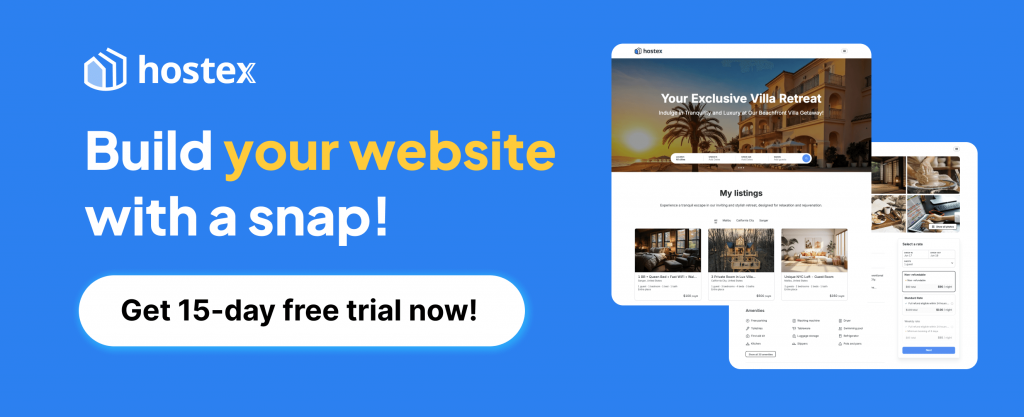
Use Hostex to build your own direct booking site in just a few minutes. No coding or design work required.
2. Publish to Google Vacation Rentals
Once your site is ready, just hit the “Connect to Google Vacation Rentals” button.
That’s it, nothing else to configure. After Google reviews your listing, your property will go live across Google Search and Google Travel, where more guests can find and book it.
Yes, it is that simple. Just one click.
Better yet, Hostex helps you manage calendars, pricing, and guest communication across Airbnb, Booking.com, Vrbo, and more—all in one place. It saves you time while making your Google Vacation Rentals stand out.
How to Make Your Google Vacation Rentals Stand Out
When guests browse listings, they rely heavily on external signals like star ratings and past reviews to assess your property’s credibility. However, Google Vacation Rentals doesn’t have a built-in review system like Airbnb or Vrbo.
The good news is, when you publish your listings through Hostex, your 4.8+ ratings from Airbnb and Booking.com will be automatically synced to Google, helping your property appear more trusted and well-established from day one.
But that’s just the start. You can do much more to improve visibility and conversions:
1. Write Click-Worthy Titles
Your listing title is often the first thing travelers see when browsing Google Vacation Rentals. A compelling title can significantly increase your click-through rate by creating a strong first impression.
Practical Tips:
- Highlight What Makes Your Property Special
Mention a key feature that sets your listing apart—location, view, amenity, or the type of stay it offers.
Examples:- ❌ Generic: “2BR Apartment in Tokyo”
- ✅ Better: “Modern 2BR Near Shinjuku with Skyline Views”
- Appeal to Emotions and Experiences
Travelers don’t just book a place—they book an experience. Use words that evoke a feeling or atmosphere, such as cozy, serene, beachfront, luxury, stylish, or family-friendly.
Examples:- “Charming Cabin Retreat with Hot Tub & Forest Views”
- “Family-Friendly Beach House – Walk to the Waves”
- Avoid Keyword Stuffing
Google already understands context and synonyms. You don’t need to cram keywords unnaturally. Keep your title natural, specific, and focused. - Keep It Short and Scannable
Aim for 45–70 characters to ensure the full title displays on both desktop and mobile results. Cut any vague or repetitive words.
Pro Tip:
If you manage multiple listings, try A/B testing your titles by rotating them every few weeks and checking which versions get more views or bookings.
2. Use Strategic Keywords
Search visibility on Google Vacation Rentals is driven by relevance. Using the right keywords in your listing helps match your property to what travelers are searching for.
Practical Tips:
- Think Like Your Guest
Consider what your ideal guest might type into Google. Are they searching for “a pet-friendly cabin near Yosemite” or “a city apartment with a balcony?” Your listing should reflect those search intents naturally. - Include Keywords in Key Areas
Use relevant keywords in these three places:- Title: e.g., “Luxury Villa with Private Pool in Bali”
- Description: e.g., “Perfect for families seeking a quiet escape near Ubud”
- Image Captions: Google indexes these, so label photos descriptively (e.g., “Master bedroom with ocean view”).
- Use Local and Niche Keywords
Add neighborhood names, landmarks, or property types travelers care about.
Examples:- “Chiang Mai Old Town Apartment”
- “Paris Loft Steps from Eiffel Tower”
- “Pet-friendly Lakehouse with Dock Access”
- Don’t Overdo It
Keyword stuffing makes your listing look spammy and can hurt credibility. Always prioritize natural language that sounds guest-friendly.
Pro Tip:
Check your competitors’ listings that rank well on Google. What words do they consistently use? Tools like Google Trends can also help identify high-volume search terms to include in your listing text.
3. Create Guest-Centric Descriptions
Your listing description should do more than describe the property. It should help potential guests imagine themselves staying there. Focus on what matters most to them, not just a list of features.
Practical Tips:
- Lead with Benefits, Not Just Features
Instead of writing “2-bedroom apartment with AC,” say: “Unwind in a cool, spacious 2-bedroom retreat—perfect after a warm day exploring downtown Lisbon.” - Answer the Guest’s Unspoken Questions
Travelers want to know more about your property before booking, anticipate these concerns, and address them.- Is this place clean and quiet?
- Is it good for kids or pets?
- How far is it from the attractions or transport?
- Use Clear, Friendly Language
Avoid technical or generic terms like “accommodation includes amenities.”
Try: “You’ll have the entire place to yourself, with a fully equipped kitchen and free Wi-Fi.” - Break Long Text into Short Paragraphs
Use short blocks of 2–3 sentences. Highlight key points with bullets if needed. This improves readability, especially on mobile.
Pro Tip:
Use storytelling to your advantage. A line like “Wake up to birdsong and enjoy your morning coffee on the sunny balcony overlooking the rice fields” paints a vivid, memorable picture.
4. Add High-Quality Photos
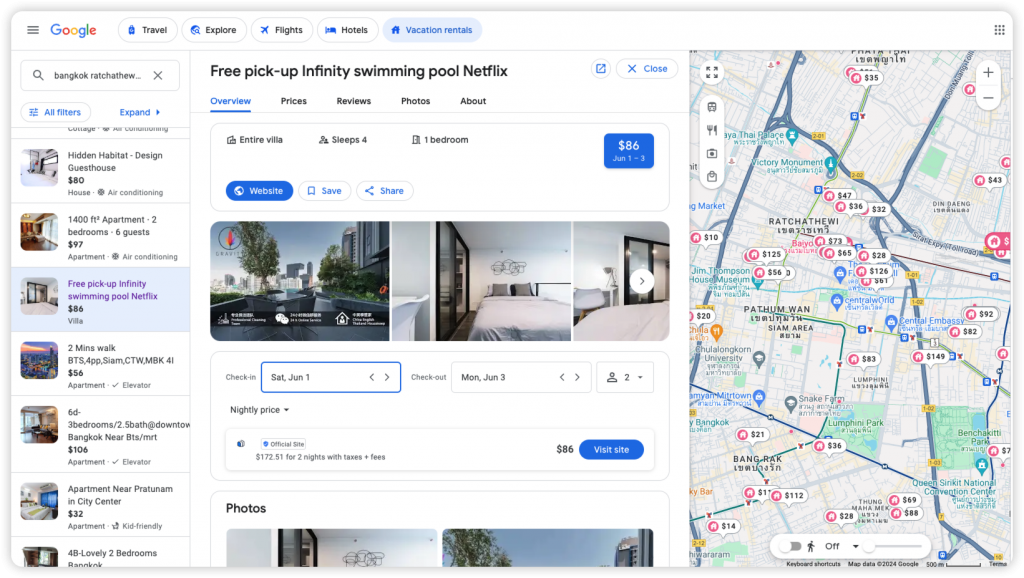
Photos are the most impressive thing guests notice and often the only thing they remember. Strong visuals can dramatically improve click-through rates and bookings on your Google Vacation Rental listing.
Practical Tips:
- Use a Professional or Smartphone with Good Lighting
You don’t need a DSLR, but natural light is key. Shoot during the day with curtains open. Avoid grainy, low-light photos at all costs. - Show the Entire Space, Not Just Details
Wide-angle shots help guests understand the layout. Include:- Living area
- Bedrooms
- Kitchen
- Bathrooms
- Balcony or view (if available)
- Highlight Special Touches
Showcase anything that adds personality: a cozy reading nook, a coffee station, or welcome gifts. These details build emotional appeal. - Don’t Forget the Outside
Include the building exterior, entrance, garden, or nearby attractions. This builds trust and sets realistic expectations. - Keep It Real, But Tidy
Clean up before shooting. A clutter-free space feels more spacious and inviting. Avoid heavy filters—guests want real, not misleading.
Pro Tip:
Caption your photos with guest-focused details like “Wake up to this sunrise view from the bedroom window” or “Enjoy dinner with friends at this 6-seat dining table.” Google may also surface captions in search context.
5. Highlight Unique Selling Points
What makes your vacation rental different from the rest? Travelers scrolling through dozens of listings on Google need a reason to stop and click on yours. Your Unique Selling Points are what set you apart, and showcasing them clearly can make a big impact.
Practical Tips:
- Identify what guests love most about your space
Think about your past reviews or guest feedback. Is it the panoramic ocean view? The private hot tub? Fast Wi-Fi and a full kitchen? Make sure these are front and center in your listing description. - Mention local advantages
Are you within walking distance of a famous attraction, beach, or transportation hub? These details help guests picture the convenience and value of staying at your place. - Use guest-friendly language
Say things like “Perfect for remote workers,” “Family-friendly with a crib and toys,” or “Romantic getaway with sunset views.” This helps readers imagine themselves there. - Keep it concise but specific
Don’t list every feature. Focus on the two or three things that truly make your property special. Be clear and confident, not salesy.
Example Phrases:
- “Unwind in your own rooftop garden with city views”
- “Steps from the Eiffel Tower with a private balcony”
- “Pet-friendly cabin with fenced backyard and fireplace”
6. Keep Your Pricing Competitive
On Google Vacation Rentals, your listing appears alongside dozens of others in the same location. One of the first things travelers notice is your nightly rate. Competitive pricing is key to making your Google Vacation Rentals stand out.
Practical Tips:
- Research similar listings in your area
Before setting your rates, look at comparable rentals in your neighborhood. Consider location, amenities, and guest capacity to ensure your pricing aligns with market expectations. - Leverage seasonal pricing
Don’t stick to a flat rate all year. Adjust your prices for holidays, weekends, and peak seasons. This can help you maximize earnings while staying competitive during slower months. - Offer value-based pricing
If your listing has standout features—like a hot tub, ocean view, or free parking—don’t underprice. Instead, highlight these perks in your description to justify a higher rate. - Avoid overcharging for fees
Cleaning and service fees should be reasonable and transparent. Excessive add-ons can make your total price less attractive compared to similar listings.
Pro Tip:
Because Google Vacation Rentals doesn’t charge any guest commission, and Hostex takes no fees for direct bookings, you can offer lower prices than on OTAs like Airbnb or Booking.com, making your listing even more appealing.
With Hostex, you can easily manage and sync pricing across all your channels. Just copy your Airbnb pricing and apply a discount rate with one click. That way, you stay competitive and in control.
7. Ensure Mobile-Friendliness
More than half of travelers browse and book vacation rentals from their phones. If your listing or direct booking website isn’t mobile-friendly, you risk losing potential guests before they even see your photos or reviews.
Practical Tips:
- Test your site on multiple devices
Make sure your booking page loads quickly and displays properly on different screen sizes. Buttons should be easy to tap, and key information should be visible without scrolling too much. - Keep navigation simple
Use a clean layout, avoid clutter, and make sure the “Book Now” button is easy to find. Mobile users should be able to complete a booking in just a few taps. - Optimize images for mobile
Large, high-quality photos should load quickly without slowing down the page. Compress your images if needed to balance quality and speed.
When you build your direct booking site with Hostex, mobile optimization is already taken care of. Every site is fully responsive and designed to perform smoothly on phones and tablets, with no extra setup required.
8. Keep Your Listings Fresh
An up-to-date listing tells both Google and potential guests that your property is active, trustworthy, and ready to book. Outdated content, on the other hand, can signal neglect and cost you visibility.
Practical Tips:
- Update photos seasonally
Swap out cover images to reflect the current season. For example, show your garden in bloom during spring, or highlight cozy indoor touches in winter. - Mention upcoming events
Add a line in your description about local festivals, holidays, or events nearby. This not only keeps your listing fresh but also helps you show up in related local searches. - Adjust your pricing and availability
Make small updates regularly—even if nothing major has changed. Active maintenance boosts trust with both Google and your guests. - Promote limited-time offers
Add short-term discounts or booking incentives, like “Book 3 nights, get 1 free.” These add urgency and give guests a reason to book now.
9. Respond Quickly to Guest Inquiries
Even the best-optimized listing won’t convert if guests don’t hear back promptly. While Google Vacation Rentals doesn’t factor response time into its search ranking, fast and thoughtful replies significantly increase your chances of securing a booking.
- Speed builds trust. Guests are more likely to book with hosts who respond quickly and clearly.
- Thoughtful communication reduces back-and-forth and helps set expectations.
- Fast replies are especially important for last-minute bookers comparing multiple options.
With Hostex, you can manage guest messages from Google Vacation Rentals and all your other OTAs in one unified inbox.
Better yet, the AI-powered auto-reply feature ensures your guests receive helpful instant answers 24/7, even while you sleep.

FAQs About Google Vacation Rentals
1. What’s the difference between Google Vacation Rentals and Airbnb?
The key difference lies in how the platforms operate.
Google Vacation Rentals is a metasearch engine, not a booking site. It aggregates listings from multiple sources and redirects users to the website where the booking takes place, like your direct booking site or a partner OTA.
Airbnb, by contrast, is a traditional OTA (like Vrbo or Booking.com). Guests book directly on Airbnb, and the platform handles payments, service fees, and communication.
2. Can I list on Google Vacation Rentals if my property is already on Airbnb or Vrbo?
Yes, absolutely.
Listing on Google Vacation Rentals offers additional exposure and does not conflict with your listings on other OTAs.
To avoid double bookings, make sure your availability calendars are synced across platforms. Hostex can help you do this automatically.
3. How long does it take for my listings to go live on Google?
Most listings appear within a few days, depending on how quickly Google verifies your property.
To speed up the process, ensure your listing meets Google’s requirements:
- At least 1 bed
- At least 8 high-quality photos with captions
- Property type must be one of: apartment, villa, house, chalet, etc.
- The property must not be registered as a hotel
Using a trusted integration partner like Hostex can also simplify the approval process.
4. Are there any listing fees or commissions?
No. Google does not charge any listing or commission fees for appearing on Google Vacation Rentals.
However, always check the latest Google policies in case this changes in the future.
5. Can I list directly on Google Vacation Rentals?
No. Google does not allow individual hosts to create listings directly. Only major vacation rental companies with 5,000+ units and engineering resources can integrate directly.
Instead, individual hosts can list through official Google partners like Hostex, which makes the process fast and seamless.
6. Who are Google Vacation Rentals’ official partners?
Google works with vacation rental management companies and booking platforms that meet its technical standards.
Partners include Tripadvisor, Expedia, HolidayLettings, BluePillow, Plum Guide, and select direct booking website providers like Hostex.
With Hostex, you can create your own booking site and publish to Google with just one click, gaining visibility on Google Travel and driving commission-free direct bookings.
 English
  Japanese
  Spanish
  Arabic
  French
  Russian
  German
  Portuguese
  Korean
  Italian
  Thai
Thai