
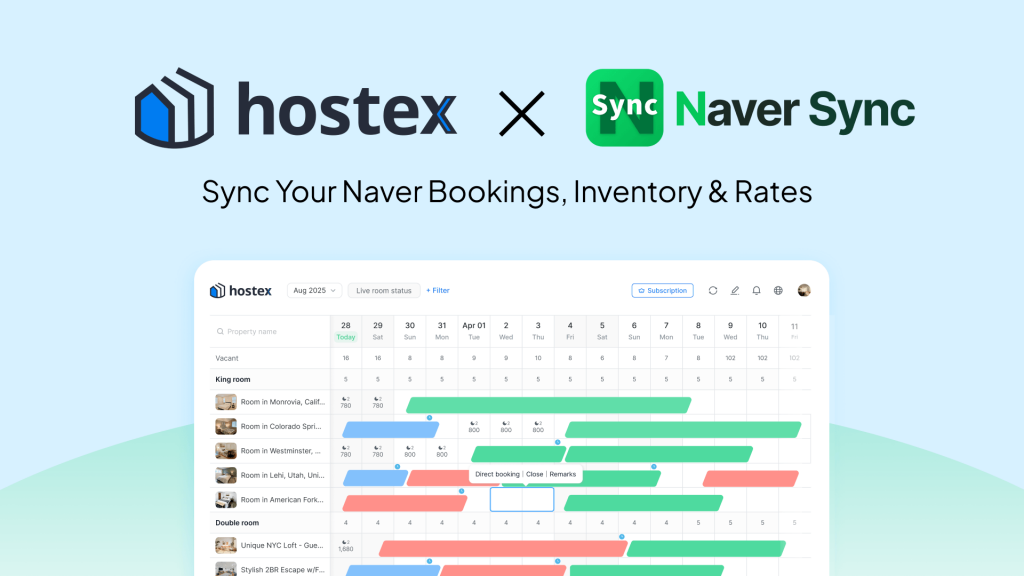
If you run a short-term rental in Korea, your listings probably live in two places at once. Domestic guests search and book on Naver, where a large share of Korean travelers begin their search. International guests arrive through Airbnb, Booking.com, and Vrbo.
Keeping availability and rates aligned across both sides is manual, repetitive, and easy to get wrong. One missed update is all it takes to produce a double booking or a night priced below what you intended.
Hostex now connects to Naver Reservation through NaverSync, a web-based integration built for Korean hosts. The result is a single source of truth: bookings, availability, and daily rates move between Naver Reservation and Hostex without rekeying.
What Is NaverSync?
NaverSync is a web-based service that connects Naver Reservation with Hostex. It is operated and supported by NaverSync, not by Hostex. Once connected, it keeps your Naver Reservation calendar and your Hostex calendar in sync, so a booking made on either calendar appears on the other without manual entry.
The setup is built around safety and control. You authorize the connection through Hostex OAuth, which means NaverSync never asks for your Hostex ID or password. After authorization, you map your Naver rooms to the matching Hostex properties or room types, and the sync runs on that mapping. You can learn more and start the connection at naversync.com.
Why Naver Reservation Matters for Korean Hosts
Naver Reservation is one of Korea’s largest booking platforms. Naver launched the service in 2015, and it has since spread across lodging, restaurants, salons, leisure, and more. According to figures published by Naver, the platform reached 27.67 million cumulative users and 500 million bookings over ten years, which works out to roughly one in two people in Korea having used it at least once.
That reach is hard for a Korean host to ignore. Guests who book through Naver Reservation expect availability and pricing to match what they see on your other channels. When the two calendars drift apart, you deal with double bookings, refunds, and lost trust. This is the gap the Hostex NaverSync integration closes, and it turns Hostex into the channel manager that keeps Naver Reservation in step with the rest of your channels.
What the Hostex + NaverSync Integration Syncs
The integration covers three areas, and you decide how much of each you turn on.
Booking synchronization. New bookings, changes, and cancellations made on Naver Reservation sync to your connected Hostex property or room type. Your Hostex calendar stays current, which feeds the rest of Hostex’s workflow: the unified inbox, task management, and reporting all read from the same up-to-date data. NaverSync also checks Hostex booking data and uses it to adjust availability, which reduces the chance of overlapping reservations.
Inventory (optional). Enable this for a mapped room, and Hostex can reflect manual blocks, stop-sell states, and remaining room quantity in Naver. When a guest books your last room on Airbnb, Naver Reservation can show it as unavailable at the same time.
Rates (optional). Enable this, and Hostex can reflect date-specific room prices from the selected listing or rate source in Naver. Your Naver guests see the same nightly rate you set in Hostex, without a separate price update.
Two design choices are worth calling out because they put you in control:
- Off by default. Inventory and rate sync are independent of each other and start switched off. Nothing changes until you enable it for a specific room.
- State-preserving opt-out. If you switch either option off later, future updates stop, but the current Naver inventory and rates will stay as they are. NaverSync does not roll them back to a previous value.
| ميزة | What it does | Default |
|---|---|---|
| Booking sync | Syncs Naver booking create, update, and cancel events to Hostex | On with the connection |
| Inventory sync | Reflects Hostex blocks, stop-sell, and remaining rooms in Naver | Off, per room |
| Rate sync | Reflects Hostex’s date-specific prices in Naver | Off, per room |
How to Connect NaverSync with Hostex
Before you start, make sure you have three things ready:
- A NaverSync workspace with your Naver rooms registered.
- A Hostex Pro plan on an account with read and write authorization.
- If you plan to sync rates, a Hostex listing or rate source to select.
Then follow these steps:
- Log in to NaverSync and open the channel connection area for the Naver room you want to connect.
- Add a channel and select the Hostex connection.
- On the Hostex OAuth screen, approve the requested read and write permissions.
- Back in NaverSync, select the Hostex property or room type that matches your Naver room.
- Save the room connection. Bookings, inventory, and rates now sync according to your settings.
- To sync inventory, enable “Reflect Hostex inventory in Naver” for that room.
- To sync rates, enable “Reflect Hostex rates in Naver” and choose the listing or rate source.
Onboarding, room mapping, billing, and support are handled by NaverSync, so if you get stuck you can reach the team at help@naversync.com.
Who Benefits Most
The Hostex NaverSync integration fits hosts and property managers who list on Naver Reservation and already use or are evaluating a channel manager. A Seoul host with one unit on Naver Reservation and the same unit on Airbnb, for example, can stop copying each Naver booking into Hostex by hand and let the integration handle it. If you currently rekey Naver bookings into your PMS, the booking sync alone removes that routine. If you list across Naver, plus Airbnb or Booking.com, the optional inventory and rate sync keep every channel honest without forcing you to automate anything before you are ready.
Because inventory and rate sync are independent and inactive until you switch them on, you can start with bookings only, then add availability or pricing room by room as you get comfortable with the flow.
الأفكار النهائية
Managing a Korean rental should not mean running two calendars. NaverSync connects Naver Reservation to Hostex so bookings, availability, and rates stay aligned, and it does so over an OAuth connection that keeps your Hostex credentials private. Optional, per-room controls mean you adopt as much automation as you want, at your own pace.
Hostex keeps expanding its partner network to help you run a smarter business. If you have not tried the platform yet, start your نسخة تجريبية مجانية لمدة 15 يومًا today, no credit card required, and see the difference for yourself.


 Arabic
  English
  Japanese
  Spanish
  French
  Russian
  German
  Portuguese
  Korean
  Italian
  Thai
Thai