
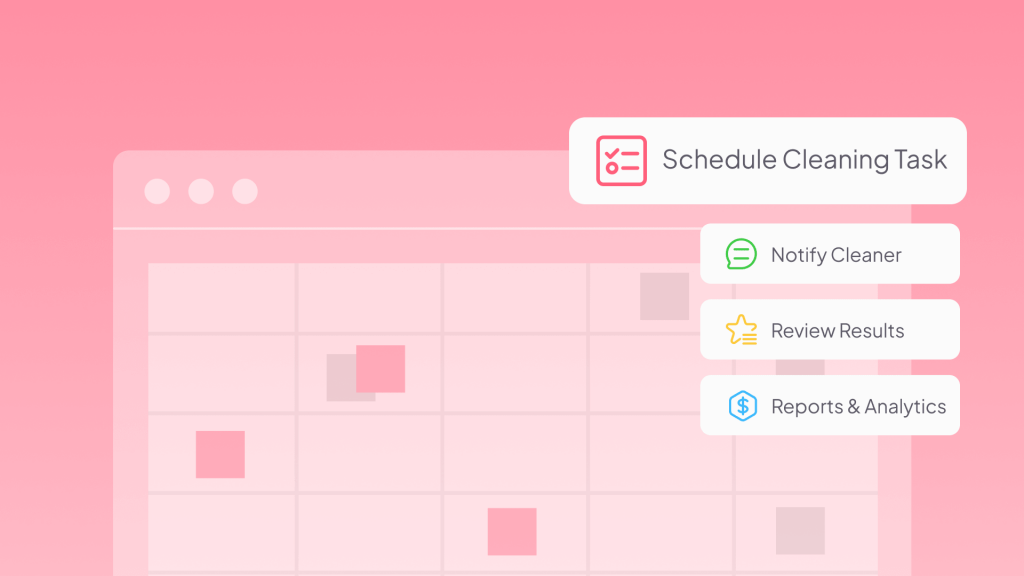
Managing vacation rental cleaning becomes more complex as your business grows. Hosts often spend hours reviewing reservations, assigning cleaners, sharing turnover instructions, verifying completed work, and resolving issues. Airbnb cleaning automation streamlines these tasks by connecting booking data, cleaning schedules, and team communication in one coordinated workflow.
In this guide, you’ll learn how cleaning automation works, how to build an automated turnover workflow, and what to look for when choosing short-term rental cleaning software for your business.
What Is Airbnb Cleaning Automation?
Airbnb cleaning automation is the process of using software to manage repetitive cleaning operations after guest reservations automatically.
Instead of manually checking calendars and messaging cleaners after every checkout, an automated system can usually complete the following process:
- Guest checkout is scheduled
- The system identifies the property and turnover details
- Cleaning task is automatically created
- The assigned cleaner receives the task
- Completion status and feedback are recorded
Levels of Airbnb Cleaning Automation
Not every host needs the same level of automation. Generally, Airbnb cleaning automation can be viewed in three levels:
Level 1: Basic Organization
The host uses shared calendars or task tools to make cleaning schedules easier to manage.
This improves visibility but still requires manual coordination.
Level 2: Automated Task Management
The system automatically creates cleaning tasks from reservations, assigns cleaners, sends reminders, and tracks completion.
For most growing vacation rental businesses, this provides the biggest operational improvement.
Level 3: Integrated Operations
Cleaning becomes connected with other vacation rental workflows, such as guest communication, maintenance reporting, supply management, and operational analytics.
However, more automation does not always mean better results. A simple workflow that cleaners consistently use is usually more valuable than a complex system that creates unnecessary friction.
How to Automate Airbnb Cleaning
If your cleaning standards only exist in your own experience or scattered messages, software will not solve the problem. It will simply move the same confusion into a digital system.
A successful automated cleaning workflow starts with clear standards, then uses technology to handle repetitive coordination.
1. Standardize Your Cleaning Process Before Automating
Every vacation rental has different requirements. A small apartment may only need a simple turnover checklist, while a larger home may require additional preparation for multiple bedrooms, outdoor areas, or guest amenities.
A useful cleaning checklist should include specific instructions that reduce misunderstandings while allowing cleaners to work efficiently.
- Cleaning requirements by area
- Special property instructions
- Restocking requirements
- Quality standards
- Completion expectations
A good automation workflow should also include important property information in the cleaning task:
- Address
- Access instructions
- Parking details
- Special notes
- Guest schedule
2. Connect Reservations With Cleaning Tasks
The core of Airbnb cleaning automation is turning reservation activity into automatic cleaning actions.
Reservations often change after the original booking is created. Guests may:
- Extend their stay
- 취소
- Change arrival dates
- Modify booking details
These changes can easily create cleaning mistakes when handled manually.
A connected cleaning workflow should automatically update related tasks when reservation information changes.
3. Assign the Right Cleaner Automatically
As your portfolio grows, cleaner management becomes more complicated. Many hosts initially rely on memory; this approach becomes difficult to maintain when you have multiple properties or different cleaning requirements
A better system assigns cleaners based on predefined property rules. For each listing, you can define:
- Primary cleaner
- Backup cleaner
- Cleaning checklist
- 청소비
- Special instructions
Then, when a reservation creates a cleaning task, the correct cleaner is already connected to that property.
4. Automate Cleaner Notifications and Communication
An automated workflow can send cleaning tasks and reminders through SMS, email, or WhatsApp. It gives cleaners their own task interface where they can:
- View upcoming jobs
- Check property details
- Review cleaning instructions
- Update task status
- Access task history
This reduces back-and-forth communication and helps cleaners complete tasks with less dependence on the host.
5. Track Cleaning Progress and Verify Completion
Creating a cleaning task is only the beginning. Hosts also need visibility into what happens after the task is assigned.
A practical cleaning workflow should include clear statuses that allow hosts to manage exceptions instead of checking every task manually. Such as:
- Assigned
- Accepted
- In progress
- Completed
- Needs attention
And, during cleaning, the cleaner may find:
- Damaged furniture
- Broken appliances
- 누락된 항목
- Maintenance problems
- Guest belongings
A structured reporting process allows cleaners to submit:
- Description of the issue
- 사진
- 위치
- Urgency
This gives hosts enough information to decide whether immediate action is needed before the next guest arrives.
6. Use Cleaning Data to Improve Operations
Once cleaning tasks are consistently tracked, the data becomes useful for improving your business. You can analyze:
- Which cleaners complete tasks on time
- Which properties require more cleaning effort
- How cleaning costs change
- Which issues appear repeatedly
This helps hosts improve the workflow based on real information.

Common Mistakes When Automating Airbnb Cleaning
Airbnb cleaning automation can significantly improve daily operations, but the technology itself is rarely the reason a workflow succeeds or fails. Most problems happen because hosts automate the wrong process, choose unsuitable tools, or create a system that does not match how cleaners actually work.
Here are the most common mistakes to avoid.
Mistake 1: Creating Too Many Steps for Cleaners
A cleaning automation system should simplify work, not create extra administrative tasks.
Some hosts design workflows with too many requirements:
- Excessive checklist items
- Too many status updates
- Too many photo requests
- Unnecessary confirmations
This can make cleaners feel that the system slows them down.
A better approach is to focus on information that actually improves quality and accountability.
Mistake 2: Choosing Software Without Considering Cleaner Adoption
A system that saves the host time but frustrates cleaners will not create a reliable workflow.
Many cleaners are comfortable with traditional communication methods, such as text messages or phone calls. If a new system feels complicated, they may avoid using it or continue relying on old processes.
When choosing automation software, consider the cleaner experience:
- Is the interface easy to understand?
- Can cleaners quickly find task details?
- Can they update progress without extra effort?
- Can they report issues easily?
Mistake 3: Treating Automation as a Replacement for Human Judgment
Automation is excellent for predictable tasks; however, some situations still require human decisions.
예를 들어:
- A cleaner discovers water damage
- A guest leaves valuable belongings behind
- A property needs urgent maintenance
Automation should help you identify and handle these situations faster, not attempt to replace human judgment.
How to Choose the Right Cleaning Automation Software
The purpose of cleaning automation is not adding more technology. The most expensive or feature-heavy platform is not always the best choice. The right software should match:
- Your number of properties
- Your cleaning team structure
- Your communication preferences
- Your existing workflow
A simple system that your team consistently uses will usually outperform a complex platform that creates additional work.
For hosts managing multiple parts of their business, the PMS you are using can reduce complexity. It can connect:
- 전세
- Cleaning workflows
- 고객 소통
- Property operations
예를 들어, 호텍스 combines cleaning automation with broader vacation rental management features.
Its cleaning tools help hosts automatically create cleaning tasks, assign cleaners, send reminders, manage checklists, collect photo feedback, and review cleaning reports.
Beyond cleaning, Hostex also includes features such as:
- Channel manager for managing listings across platforms
- Unified inbox for guest conversations
- Automated guest messaging and reviews
- 직접 예약 웹사이트 빌더
All features are available from $4.9/month, making it a cost-effective option for hosts who want to centralize their vacation rental operations.

자주 묻는 질문s about Automated Airbnb Cleaning
Can I automate Airbnb cleaning if I only manage one property?
예, even a single-property host can benefit from having a more organized workflow.
Automatically creating cleaning tasks, storing property instructions in one place, and keeping a record of completed turnovers can reduce the chance of missing important details—especially during busy periods or same-day turnovers.
If you plan to grow your portfolio in the future, setting up a structured workflow early also makes expansion much easier.
What features should I look for in Airbnb cleaning software?
Look for software that simplifies your workflow rather than adding more administrative work. The most useful features include:
- Automatic cleaning task creation
- Property-based cleaner assignment
- Custom cleaning checklists
- Automated reminders
- Cleaner task management
- Photo verification
- Maintenance reporting
- Cleaning reports and analytics
If you’re already using multiple tools to manage reservations, guest communication, and operations, an all-in-one vacation rental management platform like Hostex can be a more efficient long-term solution.
What’s the difference between dedicated cleaning software and a vacation rental PMS?
Dedicated cleaning software focuses primarily on scheduling cleaners, managing tasks, and tracking turnovers.
A vacation rental management system (PMS) goes further by connecting cleaning with reservations, guest communication, calendars, pricing, and other daily operations.
For hosts managing multiple listings, keeping everything in one platform often reduces manual work and eliminates the need to switch between several separate tools.
Do cleaners need an app for Airbnb cleaning automation?
Not necessarily, but giving cleaners a dedicated workflow usually improves efficiency.
A good system should make it easier for cleaners to:
- View tasks
- Access instructions
- Update progress
- Report problems
How much does it cost to automate Airbnb cleaning?
The cost depends on the software, features, and size of your operation.
Some hosts use basic task management tools, while others choose vacation rental management platforms with built-in cleaning automation.
예를 들어, 호텍스 includes built-in cleaning automation alongside features such as a channel manager, unified inbox, automated guest messaging, automated reviews, and a direct booking website builder—all starting at $4.90/월.
 Korean
  English
  Japanese
  Spanish
  Arabic
  French
  Russian
  German
  Portuguese
  Italian
  Thai
Thai