Guest Screening and Risk Management (Screen & Protect)
Hostex has integrated with Truvi (formerly SuperHog) to provide the Screen & Protect service. This integration offers a revolutionary way to protect your property from guest damage and fraud without the traditional complications of security deposits.
What is Truvi Screen & Protect?
Truvi Screen & Protect replaces outdated security deposits and damage waivers with a seamless, background-running API. It combines intelligent guest screening with automatic damage protection of up to $50,000, ensuring you are protected while your guests enjoy a friction-free booking journey.
Key Benefits of the Integration:
- Zero Guest Friction: Screening runs silently in the background. You no longer need to chase guests for deposits or have awkward conversations about withholding money.
- High-Value Protection: Trustworthy guests are covered for damages up to $50,000.
- Automated Resolution: If damage occurs, you receive direct payment from Truvi—no need to negotiate with or chase the guest for reimbursement.
- Fraud Prevention: Identify high-risk guests well before they arrive.
How to Activate Guests Screening and Risk Management Service
- Log into your Hostex account.
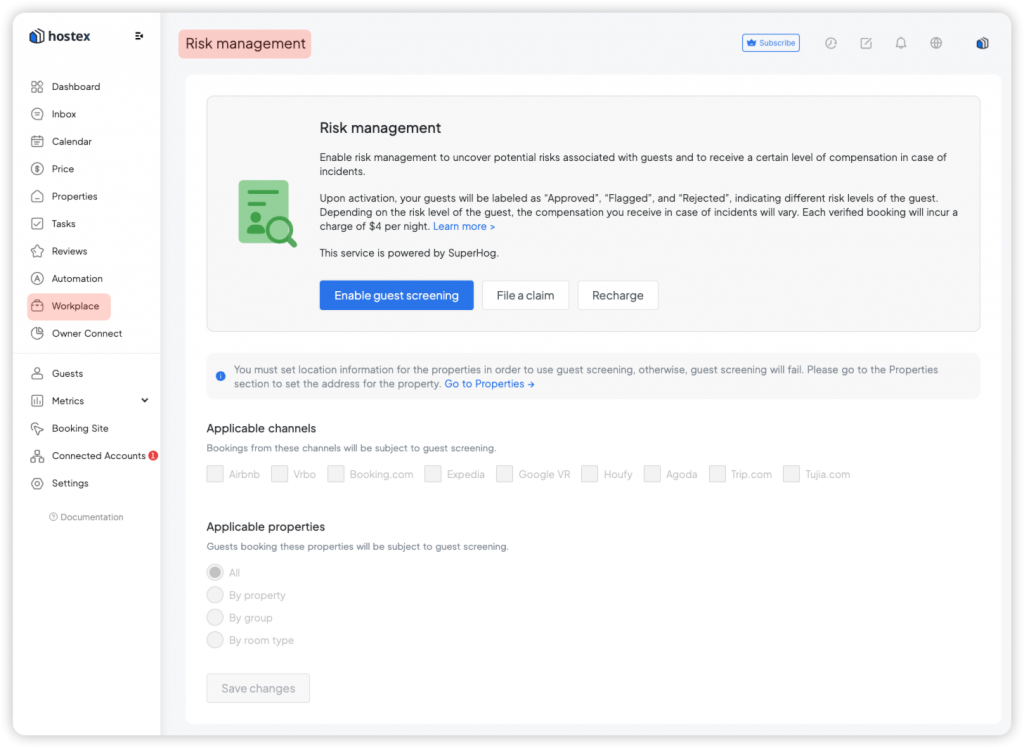
- Navigate to Risk Management in the Workplace section.
- Click on Enable.
- Select the scope you wish to scan and protect.
Note: Each verified booking will incur a charge of $5 per night. This replaces the need for traditional insurance or manual deposit collection.
How Does it Work?
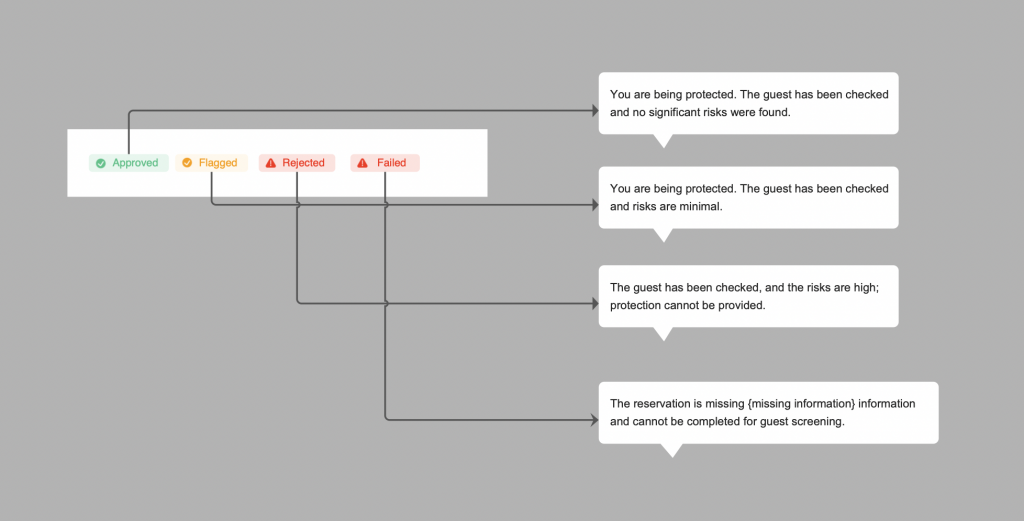
Once activated, Truvi automatically collects guest details and performs background checks without any disruption to the guest. The results will be labeled with one of three risk levels:
- Approved: No flags found. These guests qualify for Full Protection ($50,000).
- Flagged: Red flags were found (e.g., disconnected phone or VPN usage). These guests qualify for Lower Protection.
- Rejected: The guest is on the Truvi Watchlist for previous damages. These guests do not qualify for protection.
Filing a Claim
If your property suffers damage, the process is streamlined for faster payouts than traditional insurance:
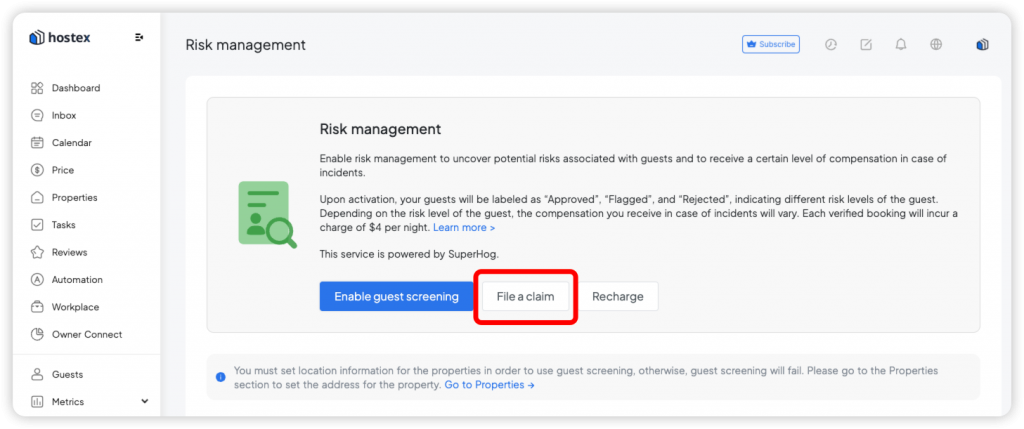
- Click the File a Claim button in the Hostex Risk Management section.
- Submit the claims report along with photos of the damage.
- Resolution Timeline: Truvi provides feedback within 3 business days regarding any missing information. Once the case is fully submitted, they assess the extent of damage and issue payment according to their T&Cs.
FAQs
Q: If I have already subscribed to Truvi services, how can I integrate my existing account with Hostex?
A: Unfortunately, you cannot integrate an existing Truvi account with Hostex. The integration method used by Hostex is proactive, meaning you need to create a separate service within Hostex. This service is independent of any existing Truvi accounts. However, if you already have a subscription with Truvi, you can continue managing your guests as you did before.
Q: If I encounter property damage and need to file a claim, who should I contact?
A: Please click the “File a Claim” button directly in the Risk Management section. A Truvi representative will contact you to assist with the follow-up process.
For additional questions or support, please get in touch with the Truvi customer service team.
 English
  Chinese