How to Integrate Pacho with Hostex
The integration with Pacho, an operations platform for short-term rentals, allows you to automate cleanings, inspections and maintenance based on reservation data and operational events.
Pacho automatically creates and assigns tasks to your team, helping ensure properties are always guest-ready.
Note: To complete the integration, you need an active Pacho account.
Connecting Hostex to Pacho
- Log in to Pacho.
- Click “Integrations” in the Navigation.
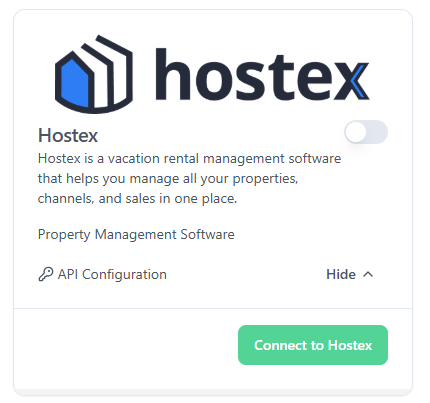
- Find “Hostex” in the integrations section.
- Click “Connect to Hostex”.
- You will be redirected to Hostex. Click “Authorize”.
- After authorization, you will be redirected back to Pacho
- Click “Webhooks” in the Navigation
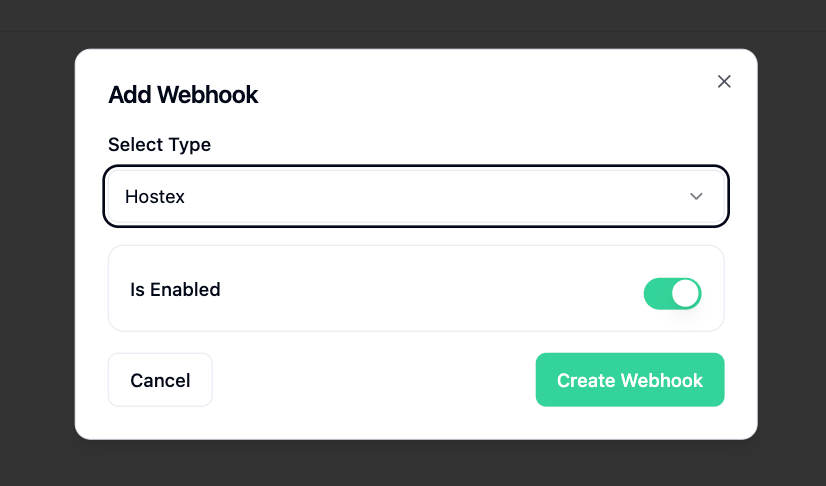
- Click “Add Webhook” top right of the screen.
- Find “Hostex” in the “Select Type” dropdown.
- Click “Is Enabled” and ensure it’s enabled.
- Click “Create Webhook”
Once these steps are completed, your Hostex integration should run smoothly.
If you experience any issues, please contact the Pacho support team.
 English
  Chinese