
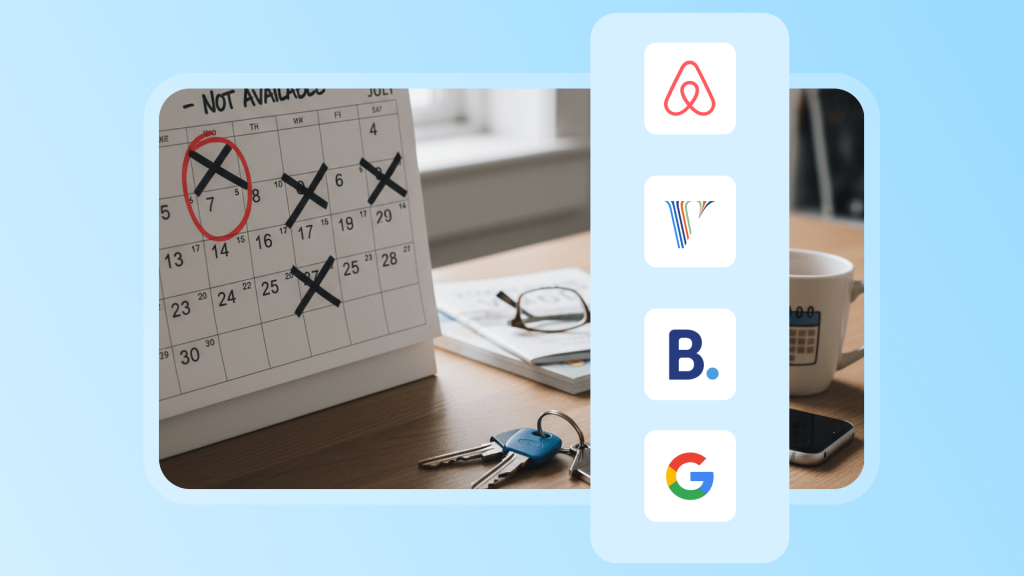
As an Airbnb host, you might sometimes need to block off a few days for family gatherings, repairs, or renovations. But what happens if those days fall right in the middle of a busy season? Missing out on potential bookings and revenue is frustrating. That is where understanding blackout dates becomes essential. They are more than just a simple calendar setting. Properly managing blackout dates gives you control over your income, your schedule, and your property’s performance.
In this article, we will walk you through everything you need to know about blackout dates. We will cover what they are, common examples, the pros and cons, and practical strategies for managing them effectively. By the end, you will know how to use blackout dates as a tool to protect both your revenue and your personal time.
If you manage multiple listings, operate across several booking platforms, or oversee properties remotely, using a vacation rental management software like Hostex can make things much easier. Its automation features can handle up to 70% of routine tasks, freeing you to focus on the things that matter most. Plans start at just $4.9 per month.
What Are Blackout Dates?
In the context of short-term rentals, blackout dates are specific days that hosts actively block off on their calendars, making their property unavailable for bookings.
Unlike passive gap days that might appear between bookings, blackout dates are a deliberate choice by the host to manage their property, schedule, and revenue.
Common types of blackout dates include:
- Personal use: Reserving the property for family holidays or personal stays. This ensures hosts can enjoy their own property without conflicting with guest bookings.
- Maintenance and upkeep: Scheduling deep cleaning, repairs, or renovations. Blocking off these days prevents overlapping with guest stays and maintains the property in top condition.
- Strategic blocking: Controlling exposure on booking platforms or reserving high-demand dates for long-term or high-value guests. This can help maximize revenue or optimize occupancy patterns.
- Regulatory restrictions: Complying with local laws or special event regulations that prohibit rentals on certain dates. For example, cities in Europe or North America may enforce blackout periods during large festivals or local ordinances.
Pros and Cons
By weighing these benefits and drawbacks carefully, hosts can use blackout dates as a strategic tool rather than just a calendar convenience.
Benefits
- Revenue management: Blocking off certain dates helps prevent discounted rates during peak seasons from reducing potential income. Hosts can reserve high-demand periods for higher-priced bookings or personal use.
- Operational control: Blackout dates give you the time to handle maintenance, deep cleaning, or renovations without rushing between guest stays. This ensures your property remains in excellent condition.
- Lifestyle flexibility: Hosting does not have to take over your life. By setting blackout dates, you can rest, spend time with family, or enjoy your property without interference.
- Strategic flexibility: Blackout dates can work hand in hand with dynamic pricing and multi-channel management. This allows you to optimize revenue and occupancy efficiently.
Drawbacks
- Reduced exposure: Frequent blackout dates can lower your visibility on Airbnb. The platform favors properties that are consistently available for booking.
- Missed bookings: If demand is misjudged, blocking dates could lead to lost opportunities during high-revenue periods.
- Guest experience: Regular guests or loyal visitors may feel disappointed if they cannot book certain dates. This could impact long-term relationships.
- Management complexity: Synchronizing blackout dates across multiple platforms is challenging. Mistakes can cause double bookings or calendar conflicts.

How to Manage Blackout Dates Efficiently
Effectively managing blackout dates is key to balancing personal use, maintenance, and revenue. There are several ways to handle them, depending on whether you use the native Airbnb calendar, other OTA platforms like Booking.com or Vrbo, or a property management system such as Hostex.
1. Manual date blocking
The simplest method is to select dates on your calendar and mark them as unavailable. This is straightforward and does not require extra tools.
It is a good practice to add a note explaining why the date is blocked. This helps you remember the purpose later and avoid confusion.
2. Creating direct bookings
If you plan to use your property for friends, family, or personal stays, you can create a direct booking for those dates. This method blocks the dates from public booking while keeping them in your occupancy reports.
It is helpful for hosts who track actual property usage and occupancy rates.
3. Using deactivate dates
A property management system like Hostex allows you to block multiple dates at once quickly. When a date is set as deactivated, it will be closed for booking and will not count as sellable nights.
In addition, using PMS ensures that blackout dates are automatically synced across all your OTA platforms. This reduces manual work and prevents accidental double bookings.
Pro Tips for Managing Blackout Dates
Effectively managing blackout dates can directly impact your revenue and guest satisfaction. Here are some practical strategies for Airbnb hosts.
1. Decision-making principles
- Only block essential dates. Use the shortest blackout period possible and add buffer days if needed. Long closures often reduce occupancy unnecessarily.
- Make data-driven decisions. Check historical occupancy and average daily rates. If occupancy exceeds 80% and prices rise by 20% compared to normal periods, consider increasing rates instead of blocking dates.
- Plan ahead. Review local event calendars and peak season periods at least once per quarter to avoid last-minute decisions.
2. Alternative strategies
- Adjust minimum stay requirements. For example, set a four-night minimum from December 24 to December 26. This filters out short-term bookings while keeping the calendar open.
- Use custom pricing for special dates instead of a full blackout. This way, you can capitalize on high demand without turning away all potential guests.
3. Technology and tools
- Use a PMS or channel manager like Hostex to synchronize blackout dates across multiple platforms. This reduces errors and saves time.
- Combine dynamic pricing tools such as Pricelabs to mark peak periods in advance. You can automatically increase rates instead of blocking dates.
- Schedule automated cleaning tasks. Properly managed housekeeping prevents conflicts and reduces the need to block dates manually.
Common Questions About Blackout Dates
Q1: Can frequent blackout dates affect my Airbnb ranking?
Yes, they can have a slight impact. Listings with long periods of unavailable dates may rank lower. Try to keep blackout dates under 20% of your calendar whenever possible.
Q2: I only need to block one day for cleaning. Do I have to mark it as a blackout date?
Not necessarily. There are alternatives:
- Set the day as “not available for check-in” instead of a full blackout.
- Create a manual booking in Hostex PMS. This blocks the date while keeping your occupancy stats intact.
Q3: Do blackout dates affect dynamic pricing tools?
Yes, some tools treat blocked dates as “no data,” which can affect surrounding pricing. You may need to manually adjust rates around those dates.
Q4: Can I block dates on some platforms but keep them open on others?
Yes, it is possible.
For example, you may want to sell the property on booking.com but temporarily block Airbnb. Use a channel manager like Hostex to prevent errors and avoid double bookings.
Q5: How often should I plan blackout dates?
It is recommended to review them every quarter, especially after local events or holiday calendars are announced. This ensures you make data-driven decisions and do not miss revenue opportunities.
Conclusion
In short, blackout dates are not just about closing your calendar. They are a strategic tool that lets you balance your personal life, protect your property, and optimize revenue.
The key is to be intentional:
- Always plan your blackout dates using real data.
- Use blackout dates together with dynamic pricing rather than as a standalone tool.
- Make sure your team and all platforms are updated and aligned.
- Regularly review your strategy and adjust as needed.
When used thoughtfully, they give you the freedom to plan maintenance, enjoy family time, and still capture high-demand bookings.

 English
  Japanese
  Spanish
  Arabic
  French
  Russian
  German
  Portuguese
  Korean
  Italian
  Thai
Thai