How to Set Cleaning Fees for OTA Listings
1.Supported Platforms Overview
Currently, Hostex only supports setting cleaning fees directly within the Hostex for listings listed on the following three OTA platforms. Once configured, the system will automatically synchronize the cleaning fee to the corresponding platform and include it in the total reservation price:
- Airbnb
- Vrbo
- Booking.site
All other OTA channel platforms do not support cleaning fee configuration in Hostex. If you need to set up cleaning fees for these channels, please log in to the official backend of each respective platform to complete the settings manually.
2. Cleaning Fee Setup Steps for Airbnb / Vrbo Listings
Follow the steps below in the Hostex to add or modify cleaning fees for your Airbnb or Vrbo listings:
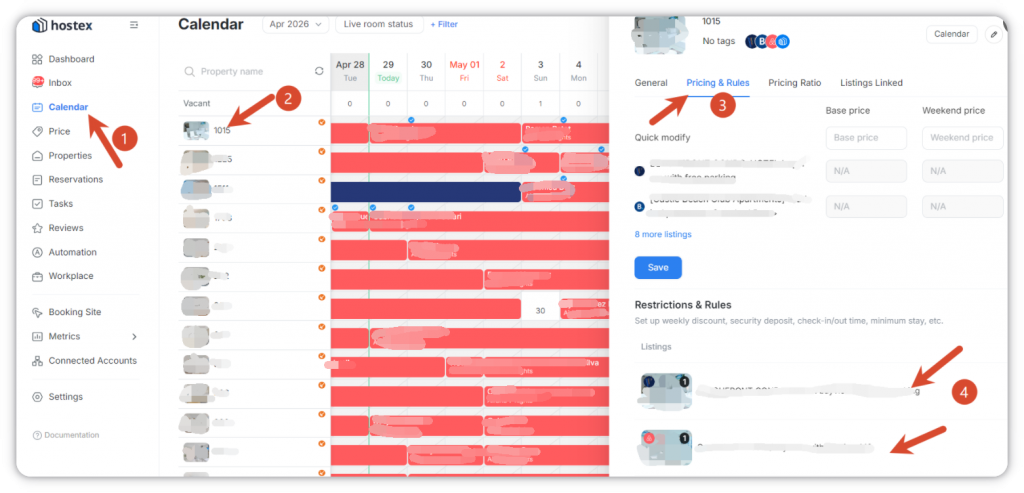
- Go to the Hostex calendar page and select the specific property or room type that requires a cleaning fee setup.
- After the side panel pops up, click to enter the Pricing & Rules section.
- Select the target Airbnb or Vrbo listing that you need to configure the cleaning fee for.
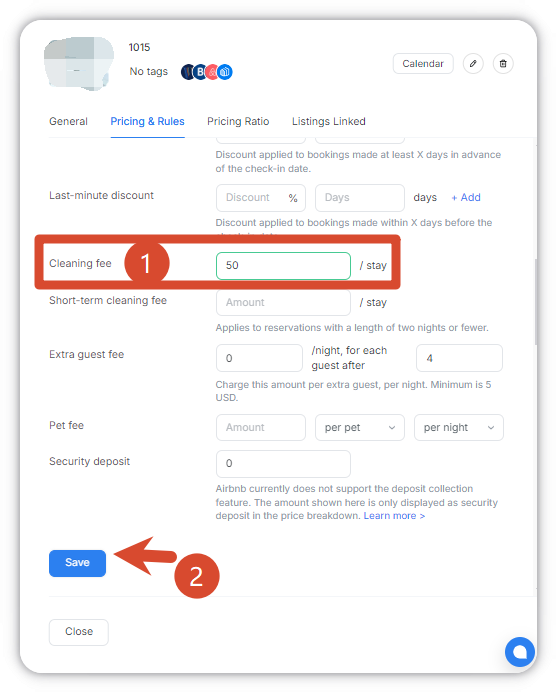
- Locate the cleaning fee setting option on the configuration page and enter the appropriate cleaning fee amount according to your operational requirements.
- After confirming the cleaning fee amount and all relevant settings are correct, click Save to complete the configuration.
3. Cleaning Fee Setup Steps for Booking.site Listings
Booking.site cleaning fees need to be configured separately via a dedicated path. Please follow the steps below:
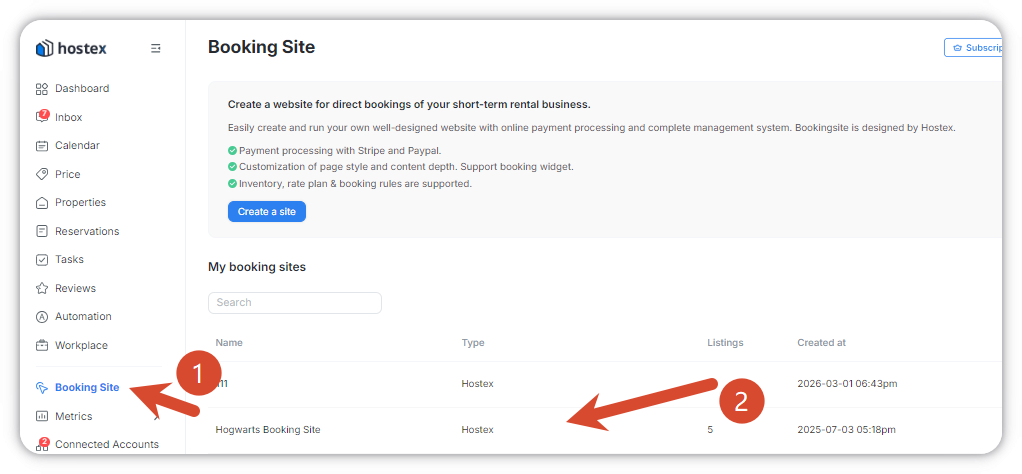
- Enter the dedicated Booking.site section in Hostex.
- Select the corresponding website site where the listing is located.
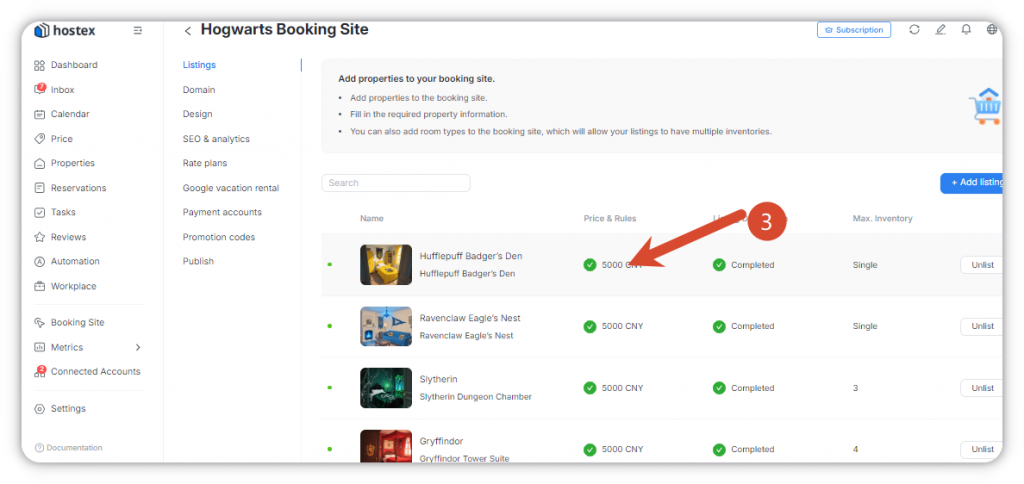
- Choose the target listing from the listing list to set the cleaning fee.
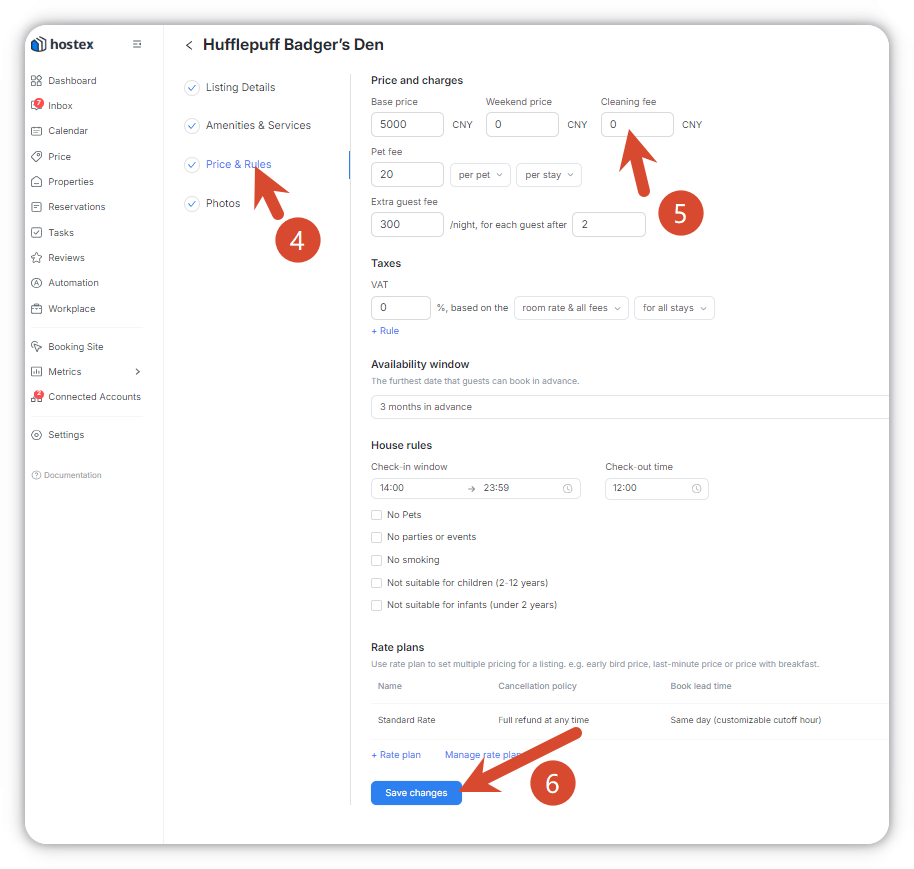
- Click to access the Price & Rules configuration page.
- Find the cleaning fee configuration option and fill in the cleaning fee amount based on your actual operational needs.
- Double-check all settings to ensure accuracy, then click Save to submit the configuration.
Important Notes
- Cleaning fee settings will only take effect for new reservations made after the configuration is completed. The price of confirmed existing reservations will not be updated automatically.
- If you need to adjust the cleaning fee later, you can follow the same steps above to edit, modify, and save the updates at any time.
 English
  Chinese