
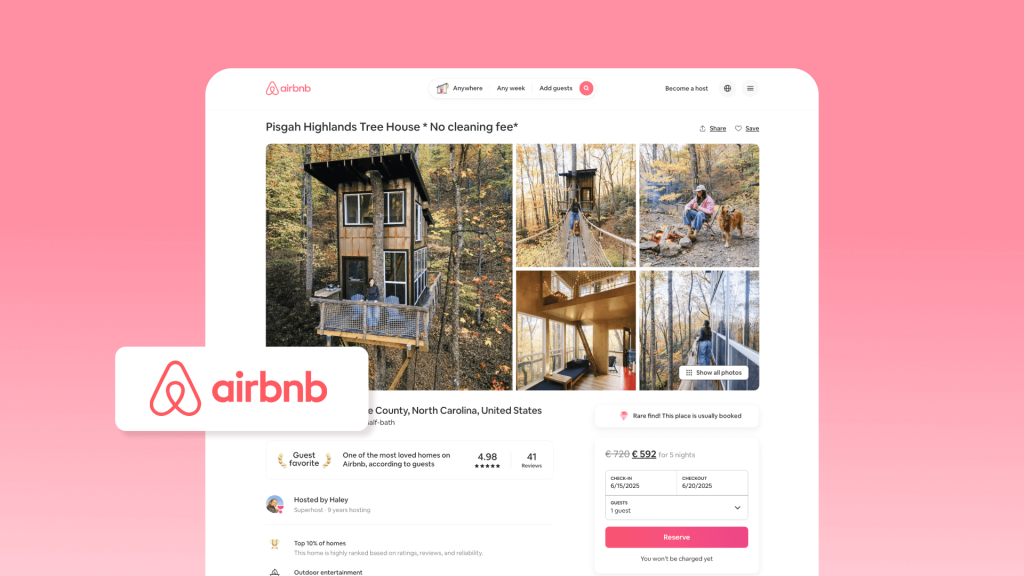
Iniciar un alquiler a corto plazo El proceso puede resultar abrumador, sobre todo al empezar a buscar orientación sobre cómo publicar un anuncio en Airbnb. Necesitas comprender claramente cada paso antes de publicar tu primer anuncio en Airbnb. Una preparación minuciosa te ayuda a evitar errores costosos y te proporciona una base sólida para el crecimiento futuro.
En esta guía, encontrará una hoja de ruta completa y práctica. Abarca todo, desde la creación de su cuenta y Nombrando tu lugar to taking photos, setting prices, and publishing your listing. You can work through the steps while preparing your own page.
If you are still choosing a property or working out a startup budget, use our Airbnb hosting guide first. Here, we focus on creating and publishing the listing itself.
Before You Create Your Airbnb Listing
Rushing to list your property without preparation can lead to avoidable problems. Before you enter the listing details, have these essentials ready:
- Permission to host: Check local requirements and any lease or building restrictions. Keep required registration details ready for the listing. The regulations guide explains what to verify.
- A guest-ready property: Confirm safety, cleaning, access, and the amenities you can actually provide. Use the property setup guide for physical preparation.
- Your listing materials: Prepare accurate photos, sleeping arrangements, a description, house rules, and arrival details.
- An opening calendar and rate: Decide which dates you can host and what a stay needs to earn after costs. Keep unavailable dates blocked.
Airbnb’s publishing checks do not replace legal permission or suitable insurance. For the wider launch plan, use the short-term rental startup guide.
Cómo publicar un anuncio en Airbnb: guía paso a paso
1. Create Your Account and Complete Verification
Setting up an Airbnb account is straightforward. Sign in to an existing account or create an account using one of Airbnb’s supported sign-up methods.
- Proceso de registro:Ingresa tu información básica, verifica tu correo electrónico y acepta los términos de Airbnb.
- Account security: Keep your contact details current and review the security settings Airbnb provides. Give co-hosts their own access rather than sharing your password.
Para los nuevos anfitriones, su perfil es muy importante, ya que aún no tiene reseñas. Una cuenta bien diseñada genera confianza y fomenta las reservas. Preste atención a los siguientes elementos:
- Verification: Complete the identity checks Airbnb requests. Hosts must finish verification before a listing can be published; Airbnb may verify details through trusted sources or request an ID.
- Foto de perfilElige una imagen clara, atractiva y profesional. Ayuda a que los huéspedes se sientan más cómodos al reservar contigo.
- Biografía del anfitriónEscribe una descripción genuina, cálida y profesional. Comparte tu filosofía de alojamiento, tu experiencia o lo que hace especial a tu espacio. En otras palabras, muestra tu personalidad y asegura a tus huéspedes una estancia inolvidable.
2. Enter Your Property Details
Una vez que tu cuenta de Airbnb esté lista, el siguiente paso es publicar tu propiedad. Esta es la base para ser anfitrión en Airbnb.
Proceso de listado paso a paso:
- Start a new listing in the hosting area of your Airbnb account. Airbnb’s prompts and layout can differ between desktop, app, and account versions.
- Describe the property and space offered. Select the property type and indicate whether guests will have the entire place, a room, or another supported space type.
- Enter your location. Provide the full address and confirm the map pin. Add practical arrival details where requested.
- Proporcionar detalles básicos de la propiedadIngresa la cantidad de huéspedes que puedes alojar en tu espacio, incluyendo habitaciones, camas y baños. Esto garantiza que los huéspedes comprendan tu capacidad de un vistazo.
- Set initial availability. Open only the dates you can reliably host. Review the advance notice and stay-length settings before publishing.
- Confirmar comodidadesSeleccione las características que ofrece su propiedad, como wifi, aire acondicionado, acceso a la cocina o estacionamiento. Esto ayuda a que su anuncio coincida con las búsquedas de los huéspedes.
- Revisar y guardarAirbnb resumirá la información inicial de tu anuncio. Puedes guardarlo como borrador para ajustarlo más tarde o continuar con los siguientes pasos, como añadir un título, una descripción, fotos y precios.
3. Write Your Listing Title and Description
A strong title and well-written description help guests decide whether your place suits their trip. Your title introduces the main selling point, while the description explains the details and limitations guests should know.
Title Tips
Su Título de Airbnb Debe ser breve, claro y destacar su principal atractivo. Céntrese en lo que hace única a su propiedad. Por ejemplo, incluya: ubicación, vistas, servicios especiales o tipo de propiedad. Si es posible, manténgalo en menos de 50 caracteres.
Plantillas de ejemplo:
- Acogedor apartamento de 2 habitaciones con vista a la ciudad
- Estudio frente al mar perfecto para parejas
- Loft moderno cerca de las atracciones del centro
- Casa familiar con piscina
- Retiro tranquilo a pasos del metro
Description Tips
Start with a compelling statement that captures attention and clearly communicates what guests can expect. Use a friendly and professional tone, then explain any important limitations rather than hiding them at the end.
A continuación, organiza los detalles con viñetas o secciones cortas. Incluye:
- Comodidades: Wi-Fi, cocina, estacionamiento, aire acondicionado, lavandería.
- Reglas de la casa: Horarios de entrada y salida, política de mascotas, normas para fumar
- Atracciones cercanas: Restaurantes, parques, conexiones de transporte.
Esta estructura hace que el listado sea fácil de escanear y mejora la comprensión por parte de los huéspedes.
Uso de preguntas frecuentes y manuales de la casa
Answer common pre-booking questions in the description, and keep detailed appliance or access instructions in the appropriate guest information fields. For example:
- ¿Hay estacionamiento disponible?
- ¿Cómo accedo a la propiedad?
- ¿Se proporcionan toallas y ropa de cama?
Esto reduce la confusión de los huéspedes y las posibles disputas, al tiempo que mejora la confianza y la seguridad en las reservas.
4. Upload Clear, Accurate Photos
Los humanos somos criaturas visuales, por lo que la calidad de tus fotos puede ser clave para el éxito o el fracaso de tu anuncio en Airbnb. De hecho, la primera foto de portada juega un papel crucial. Debe resaltar los principales atractivos de tu propiedad y captar la atención de inmediato.
Fotos esenciales que debes incluir
Al preparar las fotos de tu anuncio en Airbnb, asegúrate de cubrir:
- Exterior: Mostrar la fachada del edificio o casa y el entorno circundante.
- Fotografías de habitaciones con gran angular: Dar sensación de espacio en las zonas de estar, dormitorios y cocina.
- Servicios principales: Resalte características como la piscina, el balcón, los electrodomésticos de la cocina o el espacio de trabajo.
- Detalles: Pequeños detalles como la decoración, la disposición de la cama o la vista desde la ventana.
Iluminación, ángulos y composición
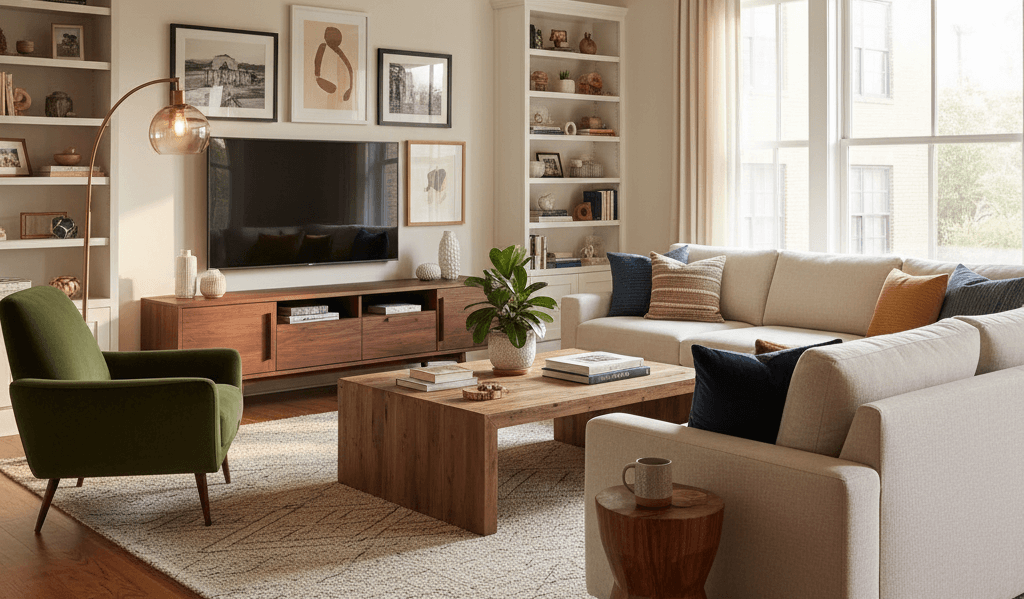
Good lighting is critical. Natural light works best, so schedule photos during the day. Avoid harsh shadows or overly dim rooms. Shoot from corners to show the layout, keeping lines straight without making the room look larger than it is.
Edición sencilla
El posprocesamiento básico puede mejorar tus fotos sin que parezcan falsas. Ajustar:
- Brillo y contraste para mayor claridad
- Consistencia del color en todas las imágenes
- Recorte para eliminar distracciones
Contratar a un profesional vs. hacerlo uno mismo
Los fotógrafos profesionales pueden ahorrar tiempo y ofrecer imágenes de alta calidad que impulsan la conversión. Sin embargo, si el presupuesto es ajustado, un smartphone moderno, combinado con buena iluminación y ediciones sencillas, puede producir resultados excelentes. Evalúe la relación coste-beneficio según el potencial de su anuncio.
5. Set Your Initial Pricing
Como nuevo anfitrión, establecer el precio correcto Es crucial. Tu estrategia de precios inicial puede ayudar a que tu anuncio gane visibilidad y atraiga las primeras reservas.
Precios de introducción vs. precios regulares
Muchos anfitriones nuevos ofrecen una tarifa inicial más baja para fomentar las reservas anticipadas. Esto puede ayudarte a generar reseñas y credibilidad. Una vez que tu anuncio reciba comentarios, puedes ajustarlo gradualmente a una tarifa estándar.
Herramientas de precios dinámicos
You can use Airbnb’s available pricing tools or a third-party service such as PriceLabs to help review rates. If you prefer manual control, set prices for weekends, holidays, and high-demand dates yourself. Check the suggested prices and any discounts before accepting them.
Componentes clave de la fijación de precios
- Estancia mínima: Establezca un requisito mínimo de noches razonable para equilibrar la ocupación y la conveniencia.
- Premium de fin de semana: Cobra tarifas ligeramente más altas los fines de semana, cuando la demanda es mayor.
- Tarifa de limpieza: Refleje los costos reales sin asustar a los huéspedes.
- Promociones especiales: Ofrece descuentos a corto plazo para atraer reservas anticipadas.
Ciclo de optimización
Track bookings during the first month. Review every 7 or 30 days to see how your price performs. Adjust based on occupancy, guest feedback, and competitor rates.
6. Review Your Booking Settings
Before opening the calendar, make sure the rules match what you can actually deliver. These settings affect which stays guests can reserve:
- Availability and stay length: Check blocked dates, advance notice, preparation time, and minimum or maximum stays. Do not assume your calendar is restricted until you inspect the dates.
- Booking method: Choose the booking options available in your account. If you use Reserva instantánea, review its guest requirements and any introductory approval settings you are offered. Do not assume you can demand a copy of every guest’s government ID.
- House rules and cancellation policy: State expectations about smoking, pets, visitors, and quiet hours, and read the cancellation options available for your listing.
- Fees and payout: Review the guest’s total price and your expected payout, including cleaning fees, discounts, and the service fee that applies to your account. Set up an eligible payout method; it is not necessarily a bank account in every region.
- Safety disclosures: Complete the safety fields accurately. Check Airbnb’s device rules before installing or disclosing cameras, recording devices, or noise monitors.
7. Review and Publish Your Listing
Read the listing from a guest’s point of view before making it public. Check that the photos, sleeping arrangements, amenities, rules, calendar, and price tell the same story. Resolve any identity, registration, or other required tasks Airbnb flags.
Airbnb current desktop instructions direct hosts to Hoy. If you see You’re ready to publish, choose Publicar; if you see Required to publish, complete the listed action first. Follow the prompts shown in your own account if the layout differs.
8. Check Your Published Listing
Open the live page and inspect the mobile view as well as the desktop. Check the photo order, text, map location, house rules, and the total price for a realistic stay. Do not make a fabricated reservation to test the page.
A published listing does not always appear in search immediately. Airbnb says visibility usually arrives within 24 hours, but it may take up to 72 hours. Confirm the listing is listed and has available dates that match your search before assuming it has failed to publish.
After Publishing: Prepare for the First Stay
The first bookings help you find gaps in your instructions and routine. Send a warm welcome message, check for calendar conflicts, and make sure someone can respond when guests need help.
Si utiliza el auto check-in, asegúrese de que el sistema funcione correctamente. Proporcione fotos o videos cortos para guiar a los huéspedes. Si recibe a los huéspedes en persona, recíbalos con calidez y responda a cualquier pregunta.
For arrival messages, cleaning, maintenance, and reviews, follow the Airbnb hosting guide. A system such as Hostex can help coordinate calendars, messages, and tasks as your workload grows. Choose tools around an actual coordination need; they do not replace local help or guarantee error-free hosting.

Preguntas frecuentes sobre anuncios en Airbnb para nuevos anfitriones
Do I need a business license to list on Airbnb?
It depends on your city or municipality. Many local governments require short-term rental registration or a business license, and some areas even limit the number of nights you can rent. My advice is to check official sources before listing. Failing to comply can result in fines or forced delisting. Starting with only one property does not exempt you from the rules.
How should I set a cleaning fee?
Calculate the real cost: professional cleaning, supplies, and your time if you do it yourself. Compare similar properties for the same stay length, looking at the total guest price rather than the cleaning fee alone.
Can I charge a security deposit?
Most Airbnb hosts cannot charge a security deposit. Limited exceptions apply, including some software-connected listings, and permitted deposits must be disclosed in the appropriate fee field. Adding a sentence to your house rules does not create permission to collect one. Check Airbnb’s current rules.
How long until I receive my first payout?
Airbnb typically releases a payout about 24 hours after check-in, but timing depends on the reservation, account, and payout method. Some new-host monthly-stay payouts may be released later, including 28 days after check-in in specified circumstances. Check your earnings dashboard and payout guidance; release time is different from arrival in your bank account.
How old do I have to be to host an Airbnb?
You must be at least 18 to hold an Airbnb account. You also need to meet the rules that apply to operating the property. See Airbnb’s account eligibility policy.
How many photos should I upload?
Use enough clear photos to show the spaces guests can use, sleeping arrangements, important amenities, and any limitations. A small room and a large house do not need the same photo count. The first photo is critical—it should show your strongest feature and make guests imagine themselves there. Use natural light and clean staging. If possible, consider hiring a professional photographer.
Should I set a minimum stay?
Sí, pero el equilibrio es clave. Establecer un límite demasiado largo... Estancia mínima may reduce bookings, while a too-short one may increase cleaning and turnover stress. Analyze local demand, check local requirements, and choose a setting you can operate reliably.
Reflexiones finales
Once your listing is live, save a dated copy of the page and take a look at it whenever the property changes. A removed bed, a closed pool, or a different parking arrangement can leave yesterday’s description promising something you no longer offer.
When you update the page, also check whether an upcoming guest booked under the earlier description. Let them know about a material change promptly rather than leaving them to discover it at the door. Keeping the page and the real stay aligned is easier than trying to explain a surprise after arrival.


 Spanish
 English
 Japanese
 Arabic
 French
 Russian
 German
 Portuguese
 Korean
 Italian
 Thai