
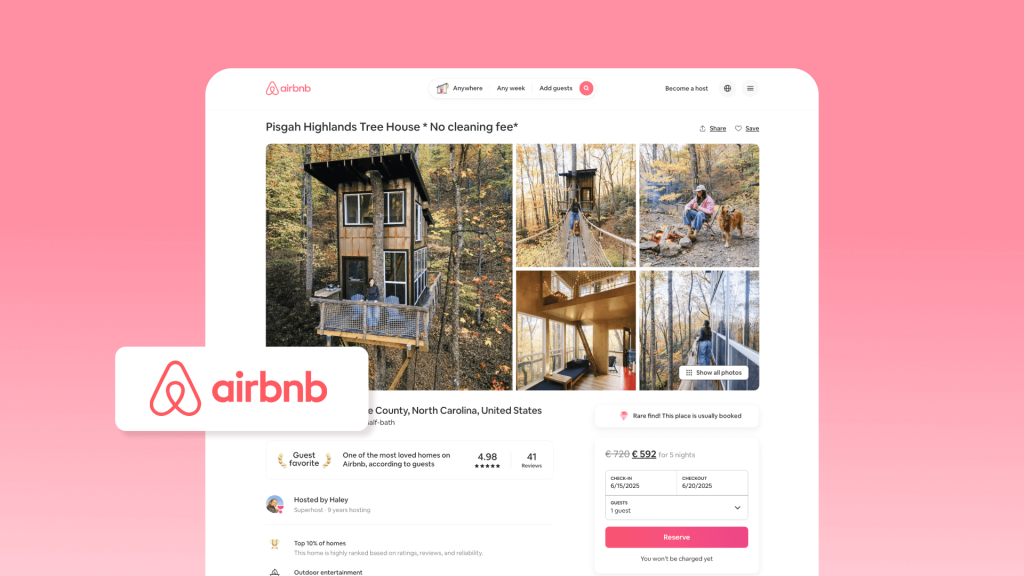
Начало краткосрочной аренды Путь может показаться сложным, особенно когда вы впервые ищете руководство по размещению жилья на Airbnb. Прежде чем опубликовать своё первое объявление на Airbnb, необходимо чётко понимать каждый этап. Тщательная подготовка поможет избежать дорогостоящих ошибок и создаст прочную основу для будущего роста.
В этом руководстве вы найдете полную и практичную дорожную карту. Она охватывает все этапы: от создания аккаунта до называя свое место to taking photos, setting prices, and publishing your listing. You can work through the steps while preparing your own page.
If you are still choosing a property or working out a startup budget, use our Airbnb hosting guide first. Here, we focus on creating and publishing the listing itself.
Before You Create Your Airbnb Listing
Rushing to list your property without preparation can lead to avoidable problems. Before you enter the listing details, have these essentials ready:
- Permission to host: Check local requirements and any lease or building restrictions. Keep required registration details ready for the listing. The regulations guide explains what to verify.
- A guest-ready property: Confirm safety, cleaning, access, and the amenities you can actually provide. Use the property setup guide for physical preparation.
- Your listing materials: Prepare accurate photos, sleeping arrangements, a description, house rules, and arrival details.
- An opening calendar and rate: Decide which dates you can host and what a stay needs to earn after costs. Keep unavailable dates blocked.
Airbnb’s publishing checks do not replace legal permission or suitable insurance. For the wider launch plan, use the short-term rental startup guide.
Как разместить объявление на Airbnb: пошаговое руководство
1. Create Your Account and Complete Verification
Setting up an Airbnb account is straightforward. Sign in to an existing account or create an account using one of Airbnb’s supported sign-up methods.
- Процесс регистрации: Введите основную информацию, подтвердите адрес электронной почты и согласитесь с условиями Airbnb.
- Account security: Keep your contact details current and review the security settings Airbnb provides. Give co-hosts their own access rather than sharing your password.
Для новых хозяев ваш профиль очень важен, поскольку у вас ещё нет отзывов. Хорошо оформленный аккаунт укрепляет доверие и стимулирует бронирования. Обратите внимание на следующие моменты:
- Verification: Complete the identity checks Airbnb requests. Hosts must finish verification before a listing can be published; Airbnb may verify details through trusted sources or request an ID.
- Фото профиля: Выберите чёткую, дружелюбную и профессиональную фотографию. Это поможет гостям чувствовать себя более комфортно при бронировании у вас.
- Биография хозяина: Напишите искреннее, тёплое и профессиональное описание. Расскажите о своей философии гостеприимства, опыте или о том, что делает ваше жильё особенным. Другими словами, проявите свою индивидуальность и заверьте гостей в надёжности своего пребывания.
2. Enter Your Property Details
Как только ваш аккаунт Airbnb будет готов, следующим шагом станет размещение вашего объекта. Это основа размещения жилья на Airbnb.
Пошаговый процесс листинга:
- Start a new listing in the hosting area of your Airbnb account. Airbnb’s prompts and layout can differ between desktop, app, and account versions.
- Describe the property and space offered. Select the property type and indicate whether guests will have the entire place, a room, or another supported space type.
- Enter your location. Provide the full address and confirm the map pin. Add practical arrival details where requested.
- Предоставьте основную информацию о недвижимостиУкажите количество гостей, которое может разместить ваше жильё, количество спален, кроватей и ванных комнат. Это позволит гостям сразу оценить вашу вместимость.
- Set initial availability. Open only the dates you can reliably host. Review the advance notice and stay-length settings before publishing.
- Подтвердите удобства. Выберите, какие удобства предлагает ваш объект, например, Wi-Fi, кондиционер, доступ к кухне или парковка. Это поможет вашему объявлению точно соответствовать запросам гостей.
- Просмотреть и сохранитьAirbnb обобщит первоначальную информацию о вашем объявлении. Вы можете сохранить её как черновик для доработки позже или перейти к следующим шагам, включая добавление названия объявления, описания, фотографий и цены.
3. Write Your Listing Title and Description
A strong title and well-written description help guests decide whether your place suits their trip. Your title introduces the main selling point, while the description explains the details and limitations guests should know.
Title Tips
Твой Название Airbnb Должно быть кратким, понятным и отражать главное преимущество. Сосредоточьтесь на том, что делает ваш объект недвижимости уникальным. Например, укажите: местоположение, вид из окна, особые удобства или тип объекта. По возможности не превышайте 50 символов.
Примеры шаблонов:
- Уютная квартира с 2 спальнями и видом на город
- Студия на берегу моря, идеальная для пар
- Современный лофт рядом с достопримечательностями в центре города
- Семейный дом с бассейном
- Тихое место в нескольких шагах от метро
Description Tips
Start with a compelling statement that captures attention and clearly communicates what guests can expect. Use a friendly and professional tone, then explain any important limitations rather than hiding them at the end.
Затем организуйте информацию с помощью маркированных списков или небольших разделов. Включайте:
- Удобства: Wi-Fi, кухня, парковка, кондиционер, прачечная
- Правила дома: Время заезда/выезда, политика в отношении домашних животных, правила курения
- Ближайшие достопримечательности: Рестораны, парки, транспортные сообщения
Такая структура облегчает просмотр листинга и улучшает его понимание гостями.
Использование часто задаваемых вопросов и руководств по дому
Answer common pre-booking questions in the description, and keep detailed appliance or access instructions in the appropriate guest information fields. For example:
- Есть ли парковка?
- Как мне получить доступ к объекту недвижимости?
- Предоставляются ли полотенца и постельное белье?
Это уменьшает путаницу у гостей и возможные споры, а также повышает доверие и уверенность в бронировании.
4. Upload Clear, Accurate Photos
Люди — визуальные существа, поэтому качество фотографий может как продвинуть, так и провалить ваше объявление на Airbnb. На самом деле, первое фото на обложке играет решающую роль. Оно должно подчеркнуть основные преимущества вашего объекта и сразу привлечь внимание.
Основные снимки, которые стоит включить
При подготовке фотографий для размещения на Airbnb обязательно включите в них следующее:
- Внешний вид: Демонстрация фасада здания или дома и окружающей среды
- Широкоугольные снимки помещения: Создайте ощущение простора в жилых помещениях, спальнях и на кухне.
- Основные удобства: Выделите такие особенности, как бассейн, балкон, кухонная техника или рабочее пространство.
- Подробности: Небольшие штрихи, такие как декор, расположение кровати или вид из окна
Освещение, ракурсы и композиция
Good lighting is critical. Natural light works best, so schedule photos during the day. Avoid harsh shadows or overly dim rooms. Shoot from corners to show the layout, keeping lines straight without making the room look larger than it is.
Простое редактирование
Базовая постобработка может улучшить ваши фотографии, не делая их похожими на искусственные. Настройте:
- Яркость и контрастность для ясности
- Постоянство цвета по всем изображениям
- Обрезка чтобы устранить отвлекающие факторы
Найм профессионала или самостоятельная работа?
Профессиональные фотографы могут сэкономить время и обеспечить высокое качество снимков, что повышает конверсию. Однако даже при ограниченном бюджете современный смартфон в сочетании с хорошим освещением и простой обработкой всё равно может дать отличные результаты. Оцените соотношение затрат и выгод, исходя из потенциала вашего листинга.
5. Set Your Initial Pricing
Как новый хозяин, установление правильной цены Крайне важно. Ваша первоначальная ценовая стратегия может помочь вашему объявлению стать более заметным и привлечь первых клиентов.
Вводные и обычные цены
Многие новые хозяева предлагают изначально более низкую цену, чтобы стимулировать раннее бронирование. Это поможет вам набрать больше отзывов и повысить доверие. Как только ваше объявление получит отзывы, вы сможете постепенно перейти на стандартную цену.
Инструменты динамического ценообразования
You can use Airbnb’s available pricing tools or a third-party service such as PriceLabs to help review rates. If you prefer manual control, set prices for weekends, holidays, and high-demand dates yourself. Check the suggested prices and any discounts before accepting them.
Ключевые компоненты ценообразования
- Минимальный срок пребывания: Установите разумное минимальное количество ночей, чтобы сбалансировать занятость и удобство.
- Премиум-тариф выходного дня: В выходные дни, когда спрос выше, тарифы немного выше.
- Плата за уборку: Отражайте реальные затраты, не отпугивая гостей.
- Специальные акции: Предлагайте краткосрочные скидки для привлечения ранних бронирований.
Цикл оптимизации
Track bookings during the first month. Review every 7 or 30 days to see how your price performs. Adjust based on occupancy, guest feedback, and competitor rates.
6. Review Your Booking Settings
Before opening the calendar, make sure the rules match what you can actually deliver. These settings affect which stays guests can reserve:
- Availability and stay length: Check blocked dates, advance notice, preparation time, and minimum or maximum stays. Do not assume your calendar is restricted until you inspect the dates.
- Booking method: Choose the booking options available in your account. If you use Мгновенная книга, review its guest requirements and any introductory approval settings you are offered. Do not assume you can demand a copy of every guest’s government ID.
- House rules and cancellation policy: State expectations about smoking, pets, visitors, and quiet hours, and read the cancellation options available for your listing.
- Fees and payout: Review the guest’s total price and your expected payout, including cleaning fees, discounts, and the service fee that applies to your account. Set up an eligible payout method; it is not necessarily a bank account in every region.
- Safety disclosures: Complete the safety fields accurately. Check Airbnb’s device rules before installing or disclosing cameras, recording devices, or noise monitors.
7. Review and Publish Your Listing
Read the listing from a guest’s point of view before making it public. Check that the photos, sleeping arrangements, amenities, rules, calendar, and price tell the same story. Resolve any identity, registration, or other required tasks Airbnb flags.
Airbnb's current desktop instructions direct hosts to Сегодня. If you see You’re ready to publish, choose Публиковать; if you see Required to publish, complete the listed action first. Follow the prompts shown in your own account if the layout differs.
8. Check Your Published Listing
Open the live page and inspect the mobile view as well as the desktop. Check the photo order, text, map location, house rules, and the total price for a realistic stay. Do not make a fabricated reservation to test the page.
A published listing does not always appear in search immediately. Airbnb says visibility usually arrives within 24 hours, but it may take up to 72 hours. Confirm the listing is listed and has available dates that match your search before assuming it has failed to publish.
After Publishing: Prepare for the First Stay
The first bookings help you find gaps in your instructions and routine. Send a warm welcome message, check for calendar conflicts, and make sure someone can respond when guests need help.
Если вы используете систему самостоятельной регистрации, убедитесь, что она работает без сбоев. Предоставьте гостям фотографии или короткие видео, которые помогут им ориентироваться. Если вы принимаете гостей лично, тепло приветствуйте их и отвечайте на любые вопросы.
For arrival messages, cleaning, maintenance, and reviews, follow the Airbnb hosting guide. A system such as Хостекс can help coordinate calendars, messages, and tasks as your workload grows. Choose tools around an actual coordination need; they do not replace local help or guarantee error-free hosting.

Часто задаваемые вопросы о жилье на Airbnb для новых хозяев
Do I need a business license to list on Airbnb?
It depends on your city or municipality. Many local governments require short-term rental registration or a business license, and some areas even limit the number of nights you can rent. My advice is to check official sources before listing. Failing to comply can result in fines or forced delisting. Starting with only one property does not exempt you from the rules.
How should I set a cleaning fee?
Calculate the real cost: professional cleaning, supplies, and your time if you do it yourself. Compare similar properties for the same stay length, looking at the total guest price rather than the cleaning fee alone.
Can I charge a security deposit?
Most Airbnb hosts cannot charge a security deposit. Limited exceptions apply, including some software-connected listings, and permitted deposits must be disclosed in the appropriate fee field. Adding a sentence to your house rules does not create permission to collect one. Check Airbnb’s current rules.
How long until I receive my first payout?
Airbnb typically releases a payout about 24 hours after check-in, but timing depends on the reservation, account, and payout method. Some new-host monthly-stay payouts may be released later, including 28 days after check-in in specified circumstances. Check your earnings dashboard and payout guidance; release time is different from arrival in your bank account.
How old do I have to be to host an Airbnb?
You must be at least 18 to hold an Airbnb account. You also need to meet the rules that apply to operating the property. See Airbnb’s account eligibility policy.
How many photos should I upload?
Use enough clear photos to show the spaces guests can use, sleeping arrangements, important amenities, and any limitations. A small room and a large house do not need the same photo count. The first photo is critical—it should show your strongest feature and make guests imagine themselves there. Use natural light and clean staging. If possible, consider hiring a professional photographer.
Should I set a minimum stay?
Да, но баланс важен. Слишком длинный минимальный срок пребывания may reduce bookings, while a too-short one may increase cleaning and turnover stress. Analyze local demand, check local requirements, and choose a setting you can operate reliably.
Заключительные мысли
Once your listing is live, save a dated copy of the page and take a look at it whenever the property changes. A removed bed, a closed pool, or a different parking arrangement can leave yesterday’s description promising something you no longer offer.
When you update the page, also check whether an upcoming guest booked under the earlier description. Let them know about a material change promptly rather than leaving them to discover it at the door. Keeping the page and the real stay aligned is easier than trying to explain a surprise after arrival.


 Russian
 English
 Japanese
 Spanish
 Arabic
 French
 German
 Portuguese
 Korean
 Italian
 Thai