
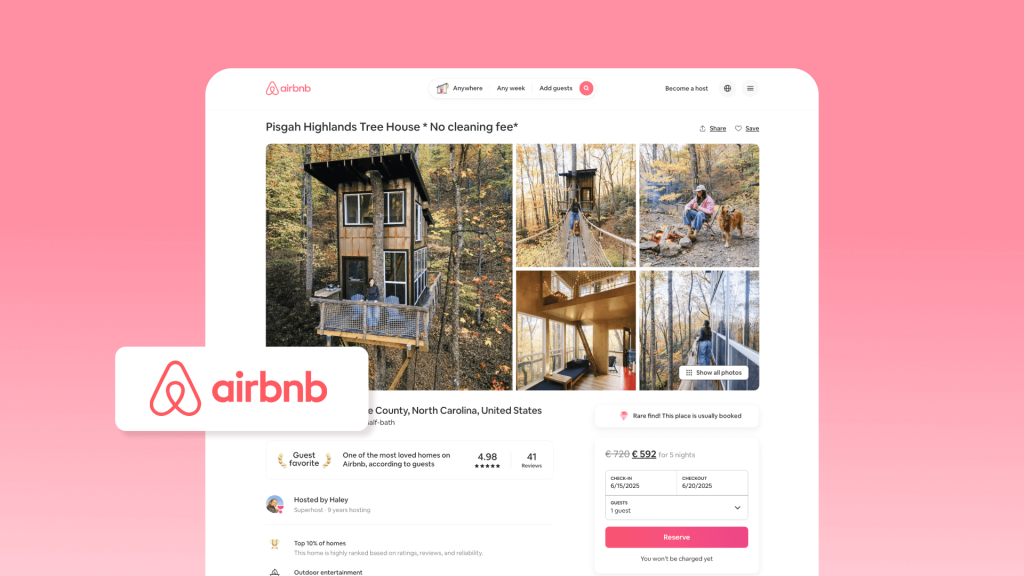
Start einer Kurzzeitvermietung Der Einstieg kann überwältigend sein, besonders wenn man sich zum ersten Mal über Anleitungen zum Einstellen von Unterkünften auf Airbnb informiert. Bevor Sie Ihr erstes Airbnb-Inserat veröffentlichen, ist es wichtig, jeden einzelnen Schritt genau zu verstehen. Sorgfältige Vorbereitung hilft Ihnen, kostspielige Fehler zu vermeiden und schafft eine solide Grundlage für zukünftiges Wachstum.
In diesem Leitfaden finden Sie eine vollständige und praktische Anleitung. Er umfasst alles von der Kontoerstellung bis hin zu Benennung deines Ortes to taking photos, setting prices, and publishing your listing. You can work through the steps while preparing your own page.
If you are still choosing a property or working out a startup budget, use our Airbnb hosting guide first. Here, we focus on creating and publishing the listing itself.
Before You Create Your Airbnb Listing
Rushing to list your property without preparation can lead to avoidable problems. Before you enter the listing details, have these essentials ready:
- Permission to host: Check local requirements and any lease or building restrictions. Keep required registration details ready for the listing. The regulations guide explains what to verify.
- A guest-ready property: Confirm safety, cleaning, access, and the amenities you can actually provide. Use the property setup guide for physical preparation.
- Your listing materials: Prepare accurate photos, sleeping arrangements, a description, house rules, and arrival details.
- An opening calendar and rate: Decide which dates you can host and what a stay needs to earn after costs. Keep unavailable dates blocked.
Airbnb’s publishing checks do not replace legal permission or suitable insurance. For the wider launch plan, use the short-term rental startup guide.
So inserieren Sie Ihre Unterkunft auf Airbnb: Eine Schritt-für-Schritt-Anleitung
1. Create Your Account and Complete Verification
Setting up an Airbnb account is straightforward. Sign in to an existing account or create an account using one of Airbnb’s supported sign-up methods.
- AnmeldeprozessGeben Sie Ihre grundlegenden Informationen ein, bestätigen Sie Ihre E-Mail-Adresse und stimmen Sie den Nutzungsbedingungen von Airbnb zu.
- Account security: Keep your contact details current and review the security settings Airbnb provides. Give co-hosts their own access rather than sharing your password.
Für neue Gastgeber ist Ihr Profil besonders wichtig, da Sie noch keine Bewertungen haben. Ein gut gestaltetes Profil schafft Vertrauen und fördert Buchungen. Achten Sie auf folgende Punkte:
- Verification: Complete the identity checks Airbnb requests. Hosts must finish verification before a listing can be published; Airbnb may verify details through trusted sources or request an ID.
- ProfilfotoWählen Sie ein klares, freundliches und professionelles Foto. Das hilft Gästen, sich bei der Buchung bei Ihnen wohler zu fühlen.
- WirtsbiologieVerfassen Sie eine authentische, herzliche und professionelle Beschreibung. Teilen Sie Ihre Philosophie als Gastgeber, Ihre Erfahrungen oder was Ihre Unterkunft so besonders macht. Kurz gesagt: Zeigen Sie Ihre Persönlichkeit und geben Sie Ihren Gästen die Gewissheit eines angenehmen Aufenthalts.
2. Enter Your Property Details
Sobald Ihr Airbnb-Konto eingerichtet ist, besteht der nächste Schritt darin, Ihre Unterkunft anzubieten. Dies ist die Grundlage für die Vermietung über Airbnb.
Schrittweiser Ablauf des Angebotsprozesses:
- Start a new listing in the hosting area of your Airbnb account. Airbnb’s prompts and layout can differ between desktop, app, and account versions.
- Describe the property and space offered. Select the property type and indicate whether guests will have the entire place, a room, or another supported space type.
- Enter your location. Provide the full address and confirm the map pin. Add practical arrival details where requested.
- Geben Sie grundlegende Objektinformationen an.Geben Sie die Anzahl der Gäste an, die Ihre Unterkunft beherbergen kann, sowie die Anzahl der Schlafzimmer, Betten und Badezimmer. So können Ihre Gäste Ihre Kapazität auf einen Blick erfassen.
- Set initial availability. Open only the dates you can reliably host. Review the advance notice and stay-length settings before publishing.
- Ausstattung bestätigenWählen Sie die Ausstattungsmerkmale Ihrer Unterkunft aus, z. B. WLAN, Klimaanlage, Küchennutzung oder Parkplatz. Dies hilft, Ihr Angebot optimal an die Suchanfragen der Gäste anzupassen.
- Überprüfen und speichernAirbnb fasst Ihre ersten Angebotsinformationen zusammen. Sie können diese als Entwurf speichern und später bearbeiten oder mit den nächsten Schritten fortfahren, z. B. Titel, Beschreibung, Fotos und Preisangaben hinzufügen.
3. Write Your Listing Title and Description
A strong title and well-written description help guests decide whether your place suits their trip. Your title introduces the main selling point, while the description explains the details and limitations guests should know.
Title Tips
Dein Airbnb-Titel Der Text sollte kurz und prägnant sein und das Hauptverkaufsargument hervorheben. Konzentrieren Sie sich auf die Einzigartigkeit Ihrer Immobilie. Nennen Sie beispielsweise Lage, Aussicht, besondere Ausstattungsmerkmale oder die Art der Immobilie. Halten Sie den Text möglichst unter 50 Zeichen.
Beispielvorlagen:
- Gemütliches 2-Zimmer-Apartment mit Stadtblick
- Strandstudio – perfekt für Paare
- Modernes Loft in der Nähe der Sehenswürdigkeiten der Innenstadt
- Familienfreundliches Haus mit Pool
- Ruhige Oase nur wenige Schritte von der U-Bahn entfernt
Description Tips
Start with a compelling statement that captures attention and clearly communicates what guests can expect. Use a friendly and professional tone, then explain any important limitations rather than hiding them at the end.
Als Nächstes gliedern Sie die Details in Stichpunkten oder kleinen Abschnitten. Folgendes sollte Folgendes enthalten sein:
- Ausstattung: WLAN, Küche, Parkplatz, Klimaanlage, Wäscherei
- Hausregeln: Check-in-/Check-out-Zeiten, Haustierrichtlinien, Raucherregeln
- Sehenswürdigkeiten in der Nähe: Restaurants, Parks, Verkehrsverbindungen
Diese Struktur ermöglicht ein einfaches Überfliegen des Angebots und verbessert das Verständnis der Gäste.
Nutzung von FAQs und Haushandbüchern
Answer common pre-booking questions in the description, and keep detailed appliance or access instructions in the appropriate guest information fields. For example:
- Sind Parkplätze vorhanden?
- Wie erhalte ich Zugang zum Grundstück?
- Werden Handtücher und Bettwäsche gestellt?
Dadurch werden Verwirrung und mögliche Streitigkeiten bei den Gästen vermieden und gleichzeitig das Vertrauen und die Buchungssicherheit erhöht.
4. Upload Clear, Accurate Photos
Da wir Menschen visuelle Wesen sind, kann die Qualität Ihrer Fotos über den Erfolg oder Misserfolg Ihres Airbnb-Inserats entscheiden. Insbesondere das erste Titelbild spielt eine entscheidende Rolle. Es muss die wichtigsten Vorzüge Ihrer Unterkunft hervorheben und sofort Aufmerksamkeit erregen.
Unverzichtbare Aufnahmen
Achten Sie bei der Vorbereitung Ihrer Fotos für Ihr Airbnb-Inserat darauf, dass Folgendes berücksichtigt wird:
- Außenbereich: Präsentieren Sie die Gebäude- oder Hausfassade und die Umgebung
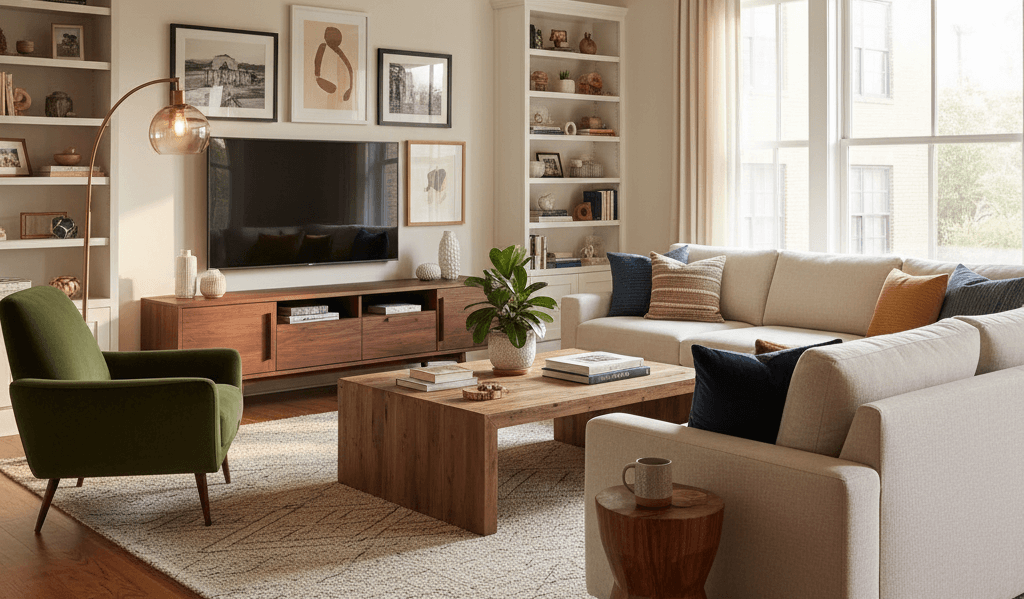
- Raumaufnahmen mit Weitwinkelperspektive: Schaffen Sie ein großzügiges Raumgefühl in Wohnbereichen, Schlafzimmern und der Küche.
- Wichtigste Ausstattungsmerkmale: Heben Sie Ausstattungsmerkmale wie Pool, Balkon, Küchengeräte oder Arbeitsbereich hervor.
- Details: Kleine Details wie Dekoration, Bettenaufstellung oder der Ausblick aus dem Fenster
Beleuchtung, Blickwinkel und Komposition
Good lighting is critical. Natural light works best, so schedule photos during the day. Avoid harsh shadows or overly dim rooms. Shoot from corners to show the layout, keeping lines straight without making the room look larger than it is.
Einfache Bearbeitung
Einfache Nachbearbeitung kann Ihre Fotos verbessern, ohne dass sie künstlich wirken. Anpassen:
- Helligkeit und Kontrast Zur Verdeutlichung
- Farbkonsistenz über alle Bilder hinweg
- Beschneiden um Ablenkungen zu beseitigen
Einen Profi beauftragen oder es selbst machen?
Professionelle Fotografen sparen Zeit und liefern hochwertige Bilder, die die Konversionsrate steigern. Bei begrenztem Budget lassen sich jedoch auch mit einem modernen Smartphone, guter Beleuchtung und einfacher Bildbearbeitung hervorragende Ergebnisse erzielen. Wägen Sie das Kosten-Nutzen-Verhältnis anhand des Potenzials Ihres Angebots ab.
5. Set Your Initial Pricing
Als neuer Gastgeber den richtigen Preis festlegen ist entscheidend. Ihre anfängliche Preisstrategie kann dazu beitragen, dass Ihr Angebot sichtbarer wird und die ersten Buchungen anzieht.
Einführungspreis vs. regulärer Preis
Viele neue Gastgeber bieten zunächst einen niedrigeren Preis an, um frühzeitige Buchungen zu fördern. Dies kann Ihnen helfen, Bewertungen und Glaubwürdigkeit aufzubauen. Sobald Ihr Angebot Feedback erhält, können Sie den Preis schrittweise auf einen Standardpreis anpassen.
Tools für dynamische Preisgestaltung
You can use Airbnb’s available pricing tools or a third-party service such as PriceLabs to help review rates. If you prefer manual control, set prices for weekends, holidays, and high-demand dates yourself. Check the suggested prices and any discounts before accepting them.
Wichtigste Preisbestandteile
- Mindestaufenthalt: Legen Sie eine angemessene Mindestanzahl an Übernachtungen fest, um ein Gleichgewicht zwischen Auslastung und Komfort zu schaffen.
- Wochenend-Premium: An Wochenenden, wenn die Nachfrage höher ist, sollten etwas höhere Preise verlangt werden.
- Reinigungsgebühr: Die tatsächlichen Kosten widerspiegeln, ohne Gäste abzuschrecken.
- Sonderaktionen: Bieten Sie kurzfristige Rabatte an, um Frühbuchungen zu fördern.
Optimierungszyklus
Track bookings during the first month. Review every 7 or 30 days to see how your price performs. Adjust based on occupancy, guest feedback, and competitor rates.
6. Review Your Booking Settings
Before opening the calendar, make sure the rules match what you can actually deliver. These settings affect which stays guests can reserve:
- Availability and stay length: Check blocked dates, advance notice, preparation time, and minimum or maximum stays. Do not assume your calendar is restricted until you inspect the dates.
- Booking method: Choose the booking options available in your account. If you use Sofortbuchung, review its guest requirements and any introductory approval settings you are offered. Do not assume you can demand a copy of every guest’s government ID.
- House rules and cancellation policy: State expectations about smoking, pets, visitors, and quiet hours, and read the cancellation options available for your listing.
- Fees and payout: Review the guest’s total price and your expected payout, including cleaning fees, discounts, and the service fee that applies to your account. Set up an eligible payout method; it is not necessarily a bank account in every region.
- Safety disclosures: Complete the safety fields accurately. Check Airbnb’s device rules before installing or disclosing cameras, recording devices, or noise monitors.
7. Review and Publish Your Listing
Read the listing from a guest’s point of view before making it public. Check that the photos, sleeping arrangements, amenities, rules, calendar, and price tell the same story. Resolve any identity, registration, or other required tasks Airbnb flags.
Airbnbs current desktop instructions direct hosts to Heute. If you see You’re ready to publish, choose Veröffentlichen; if you see Required to publish, complete the listed action first. Follow the prompts shown in your own account if the layout differs.
8. Check Your Published Listing
Open the live page and inspect the mobile view as well as the desktop. Check the photo order, text, map location, house rules, and the total price for a realistic stay. Do not make a fabricated reservation to test the page.
A published listing does not always appear in search immediately. Airbnb says visibility usually arrives within 24 hours, but it may take up to 72 hours. Confirm the listing is listed and has available dates that match your search before assuming it has failed to publish.
After Publishing: Prepare for the First Stay
The first bookings help you find gaps in your instructions and routine. Send a warm welcome message, check for calendar conflicts, and make sure someone can respond when guests need help.
Wenn Sie Self-Check-in anbieten, stellen Sie sicher, dass das System reibungslos funktioniert. Stellen Sie Fotos oder kurze Videos zur Verfügung, um die Gäste zu unterstützen. Wenn Sie die Gäste persönlich empfangen, begrüßen Sie sie herzlich und beantworten Sie ihre Fragen.
For arrival messages, cleaning, maintenance, and reviews, follow the Airbnb hosting guide. A system such as Hostex can help coordinate calendars, messages, and tasks as your workload grows. Choose tools around an actual coordination need; they do not replace local help or guarantee error-free hosting.

Airbnb-Inserats-FAQ für neue Gastgeber
Do I need a business license to list on Airbnb?
It depends on your city or municipality. Many local governments require short-term rental registration or a business license, and some areas even limit the number of nights you can rent. My advice is to check official sources before listing. Failing to comply can result in fines or forced delisting. Starting with only one property does not exempt you from the rules.
How should I set a cleaning fee?
Calculate the real cost: professional cleaning, supplies, and your time if you do it yourself. Compare similar properties for the same stay length, looking at the total guest price rather than the cleaning fee alone.
Can I charge a security deposit?
Most Airbnb hosts cannot charge a security deposit. Limited exceptions apply, including some software-connected listings, and permitted deposits must be disclosed in the appropriate fee field. Adding a sentence to your house rules does not create permission to collect one. Check Airbnb’s current rules.
How long until I receive my first payout?
Airbnb typically releases a payout about 24 hours after check-in, but timing depends on the reservation, account, and payout method. Some new-host monthly-stay payouts may be released later, including 28 days after check-in in specified circumstances. Check your earnings dashboard and payout guidance; release time is different from arrival in your bank account.
How old do I have to be to host an Airbnb?
You must be at least 18 to hold an Airbnb account. You also need to meet the rules that apply to operating the property. See Airbnb’s account eligibility policy.
How many photos should I upload?
Use enough clear photos to show the spaces guests can use, sleeping arrangements, important amenities, and any limitations. A small room and a large house do not need the same photo count. The first photo is critical—it should show your strongest feature and make guests imagine themselves there. Use natural light and clean staging. If possible, consider hiring a professional photographer.
Should I set a minimum stay?
Ja, aber die Balance ist entscheidend. Ein zu langer Zeitraum kann zu viel Zeit in Anspruch nehmen. Mindestaufenthalt may reduce bookings, while a too-short one may increase cleaning and turnover stress. Analyze local demand, check local requirements, and choose a setting you can operate reliably.
Abschließende Gedanken
Once your listing is live, save a dated copy of the page and take a look at it whenever the property changes. A removed bed, a closed pool, or a different parking arrangement can leave yesterday’s description promising something you no longer offer.
When you update the page, also check whether an upcoming guest booked under the earlier description. Let them know about a material change promptly rather than leaving them to discover it at the door. Keeping the page and the real stay aligned is easier than trying to explain a surprise after arrival.


 German
 English
 Japanese
 Spanish
 Arabic
 French
 Russian
 Portuguese
 Korean
 Italian
 Thai